Nero SoundTrax Working with Nero SoundTrax • 11
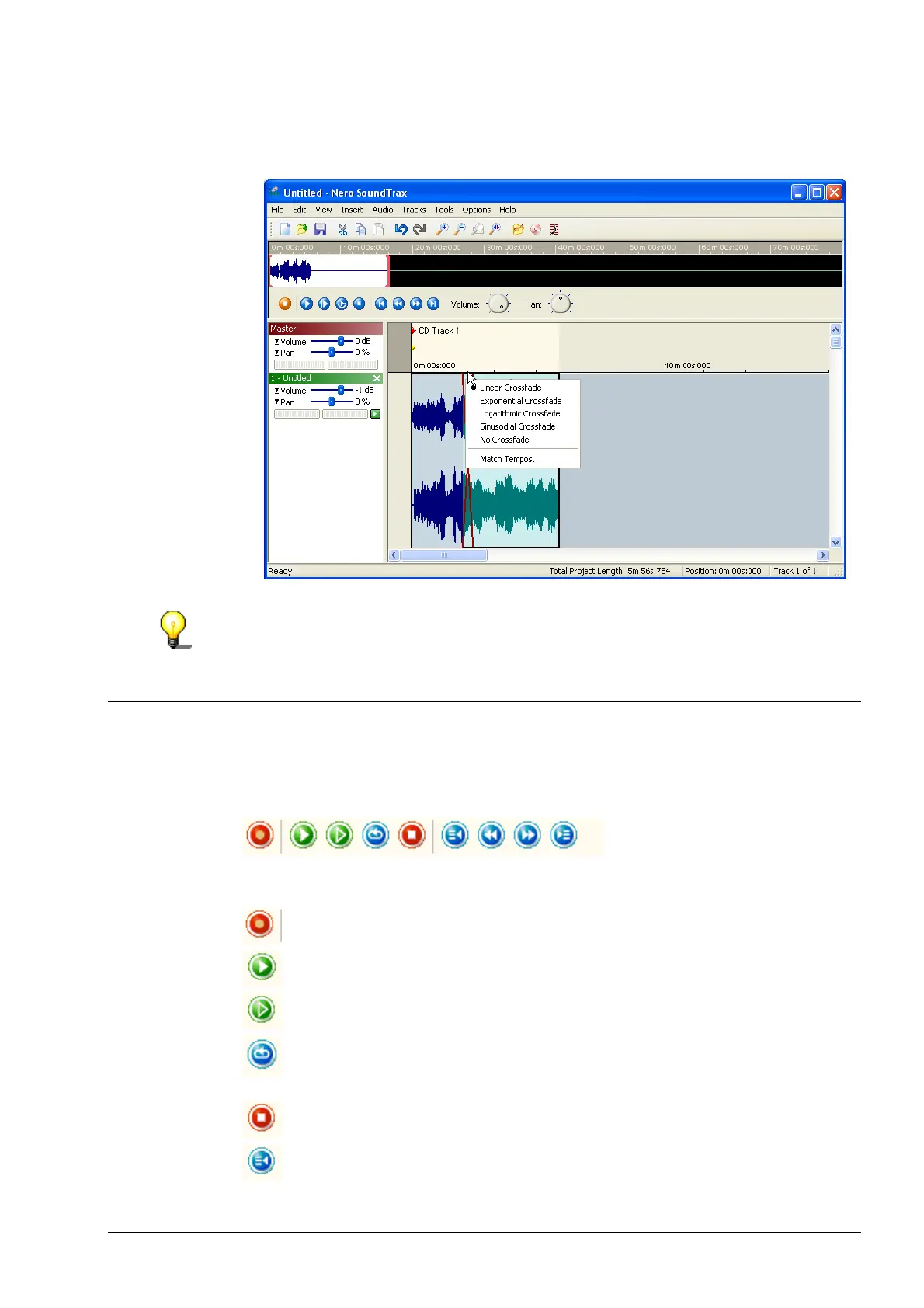
3. Place the mouse pointer on the overlap between the two clips and right-click.
In the pop-up menu which appears, choose the method you want to use for
crossfading between the two clips.
As well as choosing the crossfade, you can also match the tempo of the two
clips. Choose the 'Match Tempos' command, choose the number of BPM (beats
per minute) and select the option you want for the crossfade.
2.3 Buttons
The play buttons in the Nero SoundTrax interface allow you to access your
audio clips quickly and easily.
Button Function
Starts the recording console
Plays the selected clips
Plays all clips
Plays all the selected clips and starts again at the beginning of the
selection once it has reached the end. This continues until you click
the Stop button.
Stops playing.
Jumps to the previous clip


 To Next Page