32
NOTE: Once a sound processor has been paired to a device it is recommended to
keep paired devices in silent mode to avoid dropouts related to device notifications.
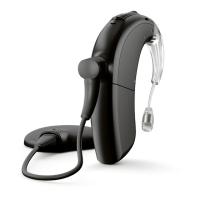
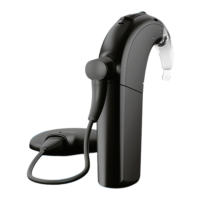
Managing Bluetooth Phone Calls with the Naída CI M90
When the sound processor is directly connected with aBluetooth-enabled phone,
you will be able to hear the caller’s voice directly through the sound processor. The
sound processor picks up your voice through the sound processor microphones.
When making a phone call, you will hear a dialing tone through the sound processor.
The sound processor microphones pick up your voice. When receiving acall, acall
notification will be heard through the sound processor. You can accept the call with
a short press on the upper or lower part of the multifunction button on the sound
processor or directly on the phone.
You can reject or end a call with a long press on the upper or lower part of the
multifunction button on the sound processor or directly through the phone.
Streaming Audio via Bluetooth with the Naída CI M90
After successful pairing of your processor(s) to your Bluetooth-enabled device,
ensure that your device isnot muted and volume is not set to minimum. Then, simply
start the audio on the Bluetooth-enabled device and the sound processor will start
streaming the audio. Environmental balance and access to surrounding sounds can


 To Next Page