537
Advanced Diagnostics USA Manual for MVP & TCODE PRO – Copyright 2014 Advanced Diagnostics USA INC.
MVP &
TCODE
TOYOTA
ADVANCED DIAGNOSTICS USA
powered
by
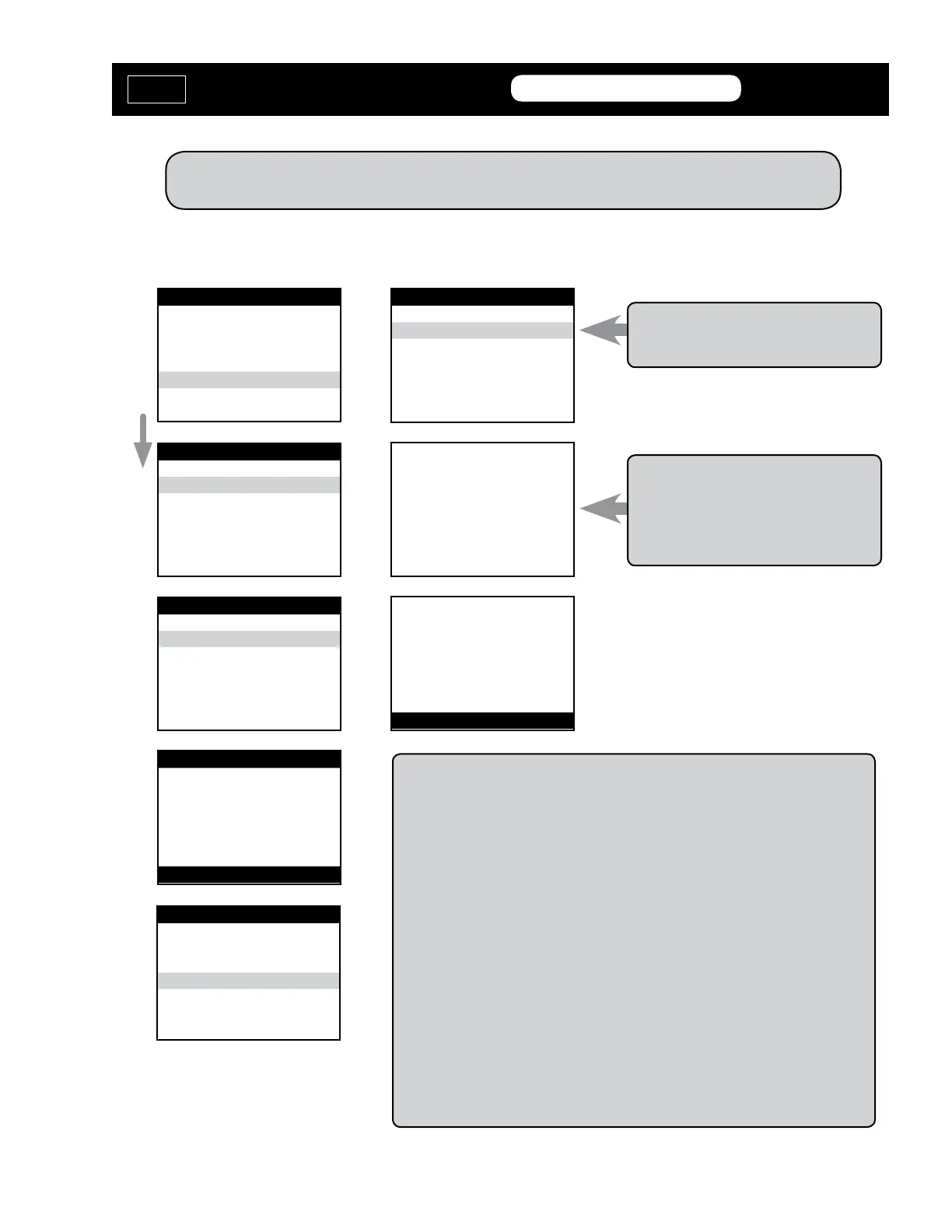
VEHICLE SELECTION
MITSUBISHI
NISSAN
SUZUKI
> TOYOTA
V.W./AUDI GROUP
VEHICLE SELECTION
> Immobilizer
REMOTE
VEHICLE SELECTION
> TYPE 1
TYPE 2
ECU IDENTIFICATION
TOYOTA/LEXUS TYPE 1
PRESS ENTER KEY
DIAGNOSTIC MENU
ECU IDENTIFICATION
FAULT CODES
> SPECIAL FUNCTIONS
DIAGNOSTIC MENU
> RESET Immobilizer
ADD MASTER KEY
ADD VALET KEY
ERASE KEYS
RESET Immobilizer
GAINING ACCESS
TIME REQUIRED 16:00
TIME ELAPSED 0:28
RESET Immobilizer
PROCEDURE COMPLETE
PRESS ENTER KEY
Note: This will cause ALL keys to be
erased and put the Immobilizer system
into “Auto Learn Mode”
Note: Do not be impatient.
Some vehicles may go over 16 minutes.
If the timer goes over 35 minutes - stop.
Disconnect from the OBD2 port and re-
move the key. Wait 20 sec. and start over.
Once you have PROCEDURE COMPLETE on the tester, look at the immobilizer
light.
The Security Light can be in 2 shapes:
> A small blinking red circle next to the word “Security”, or
> A blinking red light in the shape of a car.
The light should now be solid indicating that the Immobilizer system has been
Reset and the vehicle is now in Auto Learn mode Insert each key you want to
program - but do not turn the key ON, only insert and remove after 5 seconds.
The vehicle may learn up to 3 keys this way and the Auto Learn mode should close
once the 3rd key is presented. The last key presented will be programmed in as
Valet key.
If you have less than 3 keys to program You can close the Auto Learn mode early
by pressing the brake pedal 6-8 times, very fast. (You must use a Master key for
this.)
(Use this method if you have no Master Keys.)
RESET Immobilizer - TYPE 1
MVP &
TCODE
TOYOTA
ADVANCED DIAGNOSTICS USA
powered
by


 To Next Page