36
The Advanced
®
Model 3250/4250 Service Manual
Removing the Head Cover & the Instrument Cover
Tools Needed: Flat-bladed screwdriver,
Phillips screwdriver.
Warning-Hazardous Voltage
Warning-Internal components may
be damaged by static electricity.
CAUTION: Improper connections
may cause damage to the instrument.
1. Turn off the power and unplug the instru-
ment.
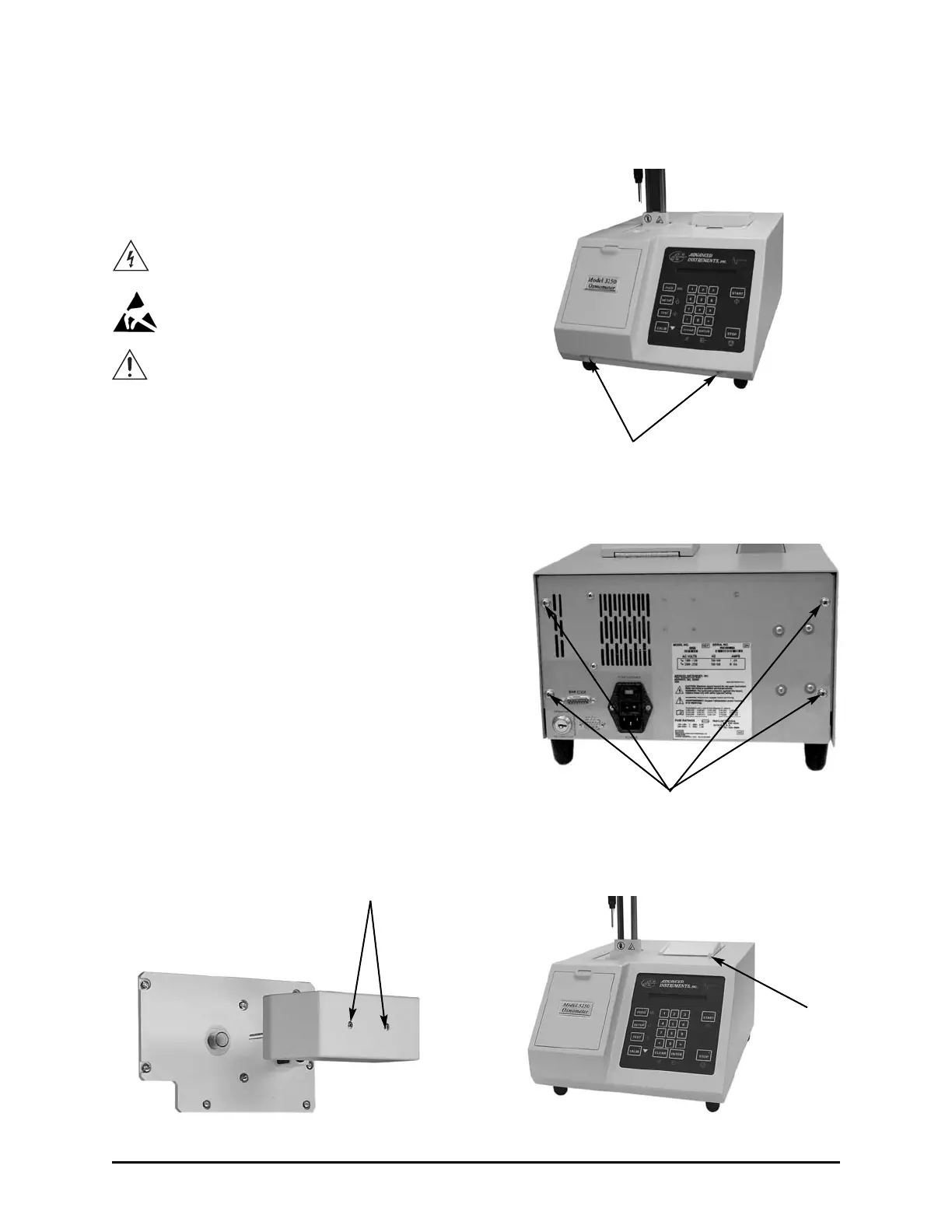
2. Remove the two screws from the head
cover (A) and lift off the head cover.
3. Serial Suffix A: Remove the two screws
from the front (B) and the four screws
from the rear panel (C).
Serial Suffix B & C: Remove the four
screws from the rear panel (C).
Serial Suffix D and Higher: Press the
printer cover release button (D), then
remove the four screws from the rear
panel (C).
4. Serial Suffix A: Slide the instrument
cover up and off.
Serial Suffix B and Higher: Slide the
instrument cover forward, then up and
off.
A
B
C
D



 To Next Page