DATA COM
UNBALANCED
BALANCED
UNBALANCED
BALANCED
AC INLET
I
O
RIGHT
OUTPUT CONNECTORS
+
--
+
BALANCED
UNBALANCED
LEFT
OUTPUT CONNECTORS
+
--
+
VOLTAGE
230V
50-60 Hz
Replace fuse
only with same
type and value.
Rear panel
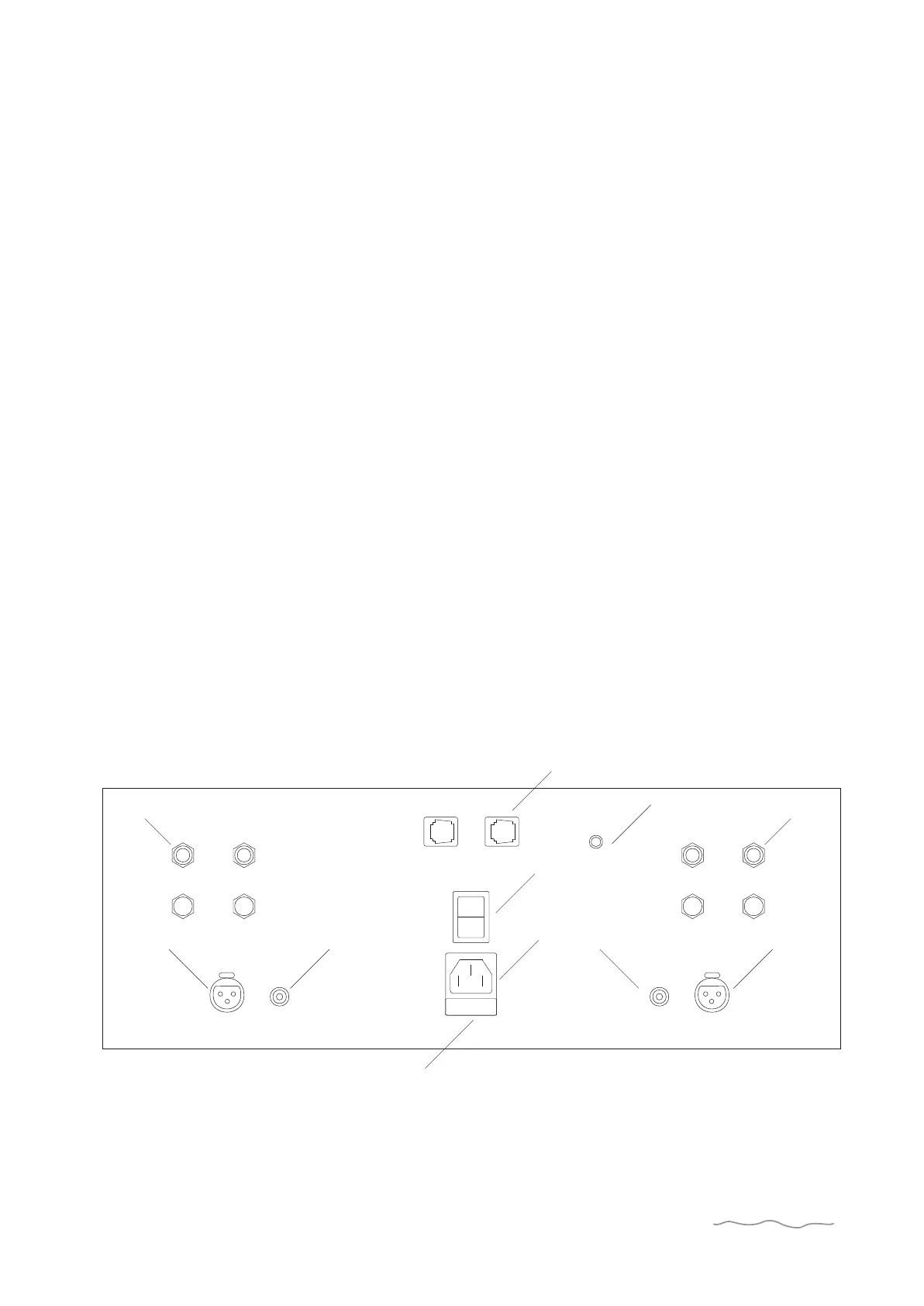
AC Line Cord Receptacle
(6.-7.-8.)
Unbalanced Inputs
(2.)
Data Com
(5.)
If your volume controlled sources / preamp. are not equipped
with XLR-outputs, please use the line-input with RCA-
connectors.
Balanced Input
(1.)
Plug the female end of the AC cord firmly into the AC
receptacle and make sure that it is properly seated. Connect
the male end directly to an AC wall outlet. Avoid use of an
extension cord or power strip since these often degrade sound
quality. Use the switch (8.) to turn ON/OFF master power.
The balanced inputs are intended to be used if your volume
controlled sources / preamp. have XLR-outputs.
4
The Data com is used to exchange information with other
ADVANTAGE products. If you for example connect your
power-amplifier to the S-2 preamp you will be able to get
information about the temperature on the heatsinks or to put
the power amplifier in stand-by mode.
Output Connectors
(3.)
The outputs marked + or - respectively have the same output.
Both pairs of terminals are intended to be used when you wish
to “bi-wire” your speakers.
Balanced/Unbalanced switch
(4.)
If you want to use the balanced inputs flip the switch towards
the text “balanced” and vice versa in case of use of unbalanced
3.
5.
ADVANTAGE
3.
1.1.
4.
2. 2.
6.
7.
8.



 To Next Page