UNO-2272G User Manual 12
3.1 Inserting a mSATA
1. Remove the power cord.
2. Unscrew the four screws in the bottom cover.
3. Plug a mSATA card with your OS and application program into the first mPCIe
slot CN6 for UNO-2272G-N2AE or CN15 for UNO-2272G-J2AE
4. Screw the two screws on board to fix mSATA.
5. Screw back the bottom cover.
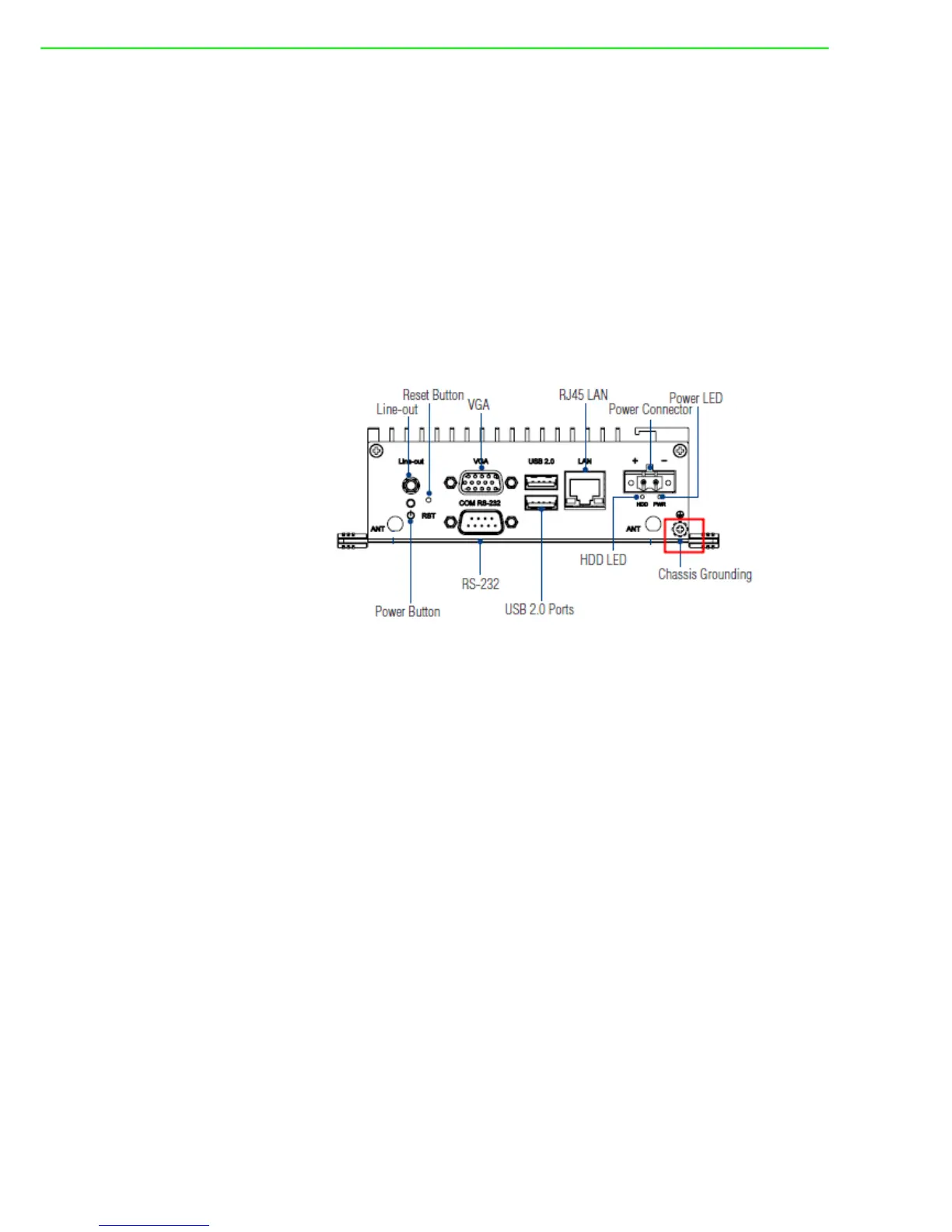
3.2 Chassis Grounding
UNO-2272G provides good EMI protection and a stable grounding base. There is an
easy-to-connect chassis grounding point to use.
Figure 3.1 Chassis Grounding Connection
3.3 Connecting Power
Connect the UNO-2272G to a 24 V
DC
with 1A power source at least. The power
source can either be from a power adapter or an in-house power source.












 To Next Page