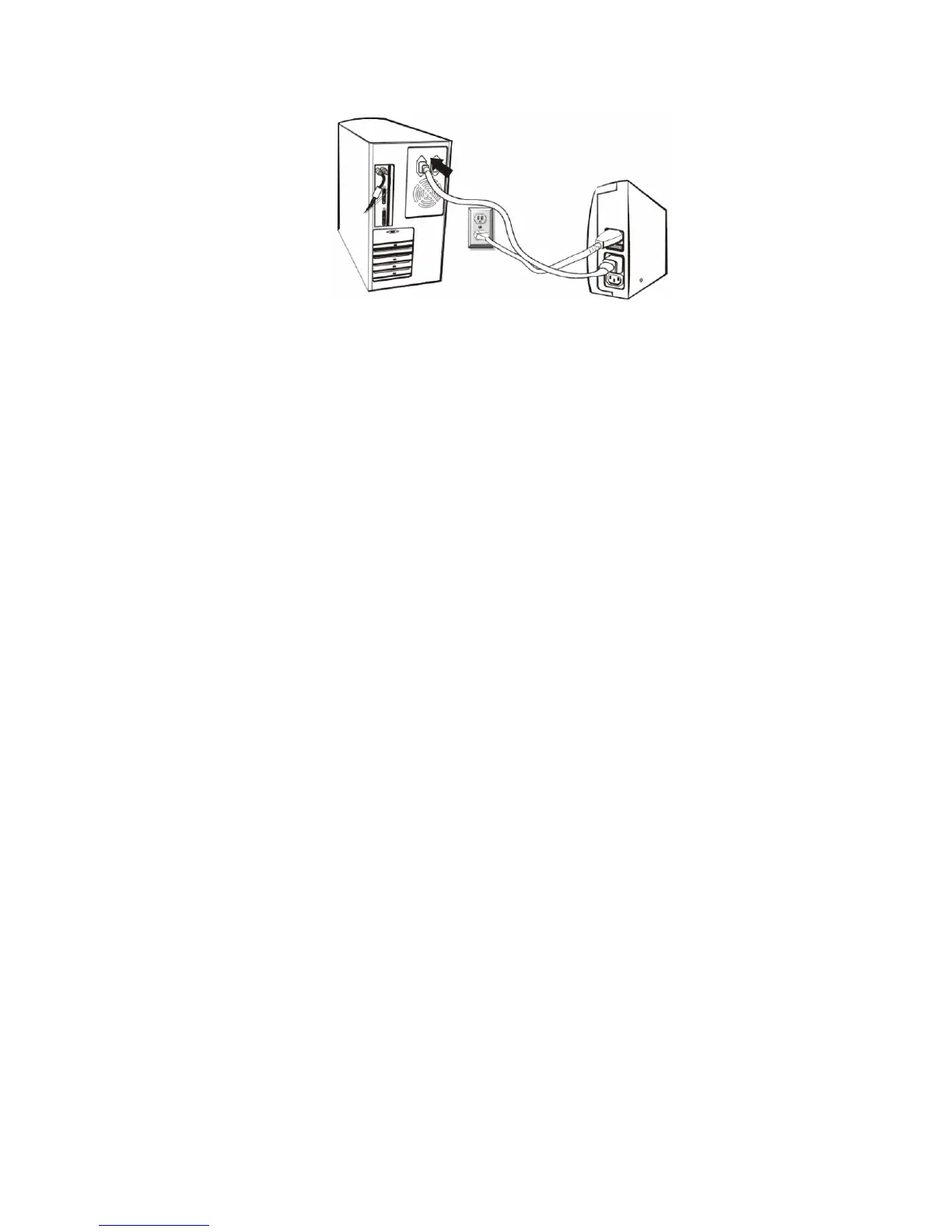
4. Computer Connection
Plug the UPS into a 2-pole, 3-wire grounded receptacle. Then connect
one computer-related device into each of the power receptacles supplied
on the back of the UPS.
5. Turn On/Off
Press the switch of the UPS continuously for 1 second and the UPS turns
into its normal state (the green light is on and the beeper is off) after it
performs a self-diagnosis (the beeper and the red and green indicator
lights are on) for several seconds. At this time, user may turn on the PC
and other loads. Press the switch of the UPS continuously for 1 second
to turn off the UPS.
Note: 1. For the convenience of maintenance, please turn on the UPS first
before turning on the PC and the other loads, and turn off the UPS
after the loads are turned off.
2. At ordinary times, we recommend to remain the UPS on with the
battery charging (even if the loads are turned off), which is benefit
to the maintenance of the battery.


 To Next Page