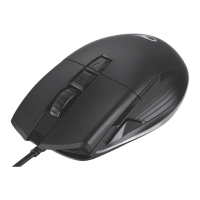
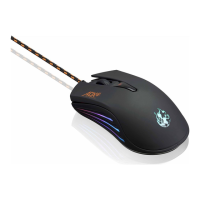
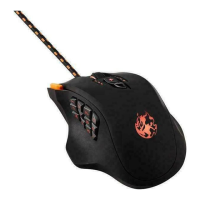
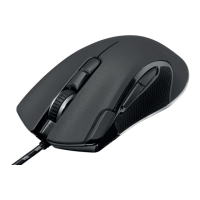
The ADXWM1123 Firepower Wireless 23 is a rechargeable wired and wireless gaming mouse designed for optimal performance and user customization.
Function Description:
This gaming mouse offers versatile connectivity, allowing users to switch between wired and wireless modes. It features multiple programmable buttons, adjustable DPI settings, and customizable lighting effects, all managed through dedicated software. The mouse is designed for gaming, providing precise control and responsiveness.
Important Technical Specifications:
- Model: ADXWM1123
- Wireless Frequency: 2403 ~ 2482MHz
- Operating Range: <10 m (open space)
- Battery Type: Rechargeable Lithium-ion Polymer Battery
- Resolution (DPI): 800 / 1600 / 3200 / 6400 / 12000 / 24000 dpi (adjustable)
- Max. Radio Frequency Power Transmitted: Mouse: 1 dBm, Dongle: 2 dBm
- Operating Temperature: 5°C - 35°C
- Operation Systems: Microsoft® Windows® 8 / 10 / 11
- Dimension (L × W × H): 126 x 63.5 x 39.5 mm
- Net Weight: 117 g
- Battery Model: QS602040
- Battery Rating: DC 3.7V 450mA 1.66Wh
- Number of Battery: 1
- Designation Code: 1ICP7/21/41
- Battery Dimension: 6.5 x 21 x 43 mm
- Battery Net Weight: 9.5 g
- Hardware Requirement: 1 available USB port
Usage Features:
- Wired & Wireless Connectivity: The mouse can be used either by plugging it directly into a computer via the provided USB to USB Type C cable or wirelessly using the included dongle.
- Rechargeable Battery: The built-in Lithium-ion battery can be charged via the USB Type C port. A green light indicates charging, the light turning off means fully charged, and a red flash signifies low battery.
- ON/OFF Switch: Located on the bottom of the mouse, this switch allows users to turn the unit on or off, helping to conserve energy when not in use.
- DPI Settings: A dedicated DPI button on the top of the mouse allows users to repeatedly switch between different resolution levels (800, 1600, 3200, 6400, 12000, 24000 dpi). The DPI indicator light color changes with each setting (Red, Orange, Yellow, Green, Blue, Purple).
- Light Mode Button: Also on the bottom, this button cycles through various light modes: Pulse, DPI Static, DPI Breathing, Cycle Breathing, and Off. The light color for DPI Static and DPI Breathing modes corresponds to the current DPI setting.
- Programmable Buttons: The mouse features Right Button, Scroll Wheel, Left Button, DPI Button, and Forward/Backward Buttons. These buttons can be customized using the ADX HUB 2 software.
- ADX HUB 2 Software: This software (downloadable from https://downloads.adxgaming.com) allows for extensive customization in wired mode, including:
- Customise: Assigning different key functions to mouse buttons, saving preferences in profiles, and resetting settings.
- Light: Adjusting lighting settings such as Mode (Pulse, DPI Static, DPI Breathing, Cycle Breathing, Off), Brightness, and Speed.
- Performance: Setting DPI levels (from 100 to 24000) and Response Rate (125 Hz, 250 Hz, 500 Hz, 1000 Hz). It also provides access to Windows Mouse Properties.
- Macro: Creating and editing macro commands for complex sequences of actions.
- Light Effect (Synchronization): If multiple ADX gaming devices are connected, their light effects can be synchronized.
- System Requirements: Compatible with Microsoft® Windows® 8, 10, and 11. The software is not available for MAC OS.
Maintenance Features:
- Battery Care:
- Always charge in a well-ventilated area, away from flammable surfaces.
- Unplug the charger when not in use to prevent overcharging.
- Store the device in a cool, moisture-free environment (below 32°C).
- If storing for over six months, charge the battery for an hour every six months.
- Fully recharge the unit after each use to prolong battery life.
- Do not attempt to open the product or replace the built-in battery.
- Dispose of batteries according to local regulations; do not put Lithium-Ion Batteries in the trash.
- Cleaning: Use a lint-free cloth to clean the outside of the mouse. Avoid moisture in openings, aerosol sprays, solvents, or abrasives.
- Troubleshooting (Hints and Tips):
- Erratic Movement: Change the working surface.
- Software Issues: Uninstall and reinstall the software after rebooting the computer.
- Surface Compatibility: Avoid using on glass or mirrored surfaces.
- Wireless Mode: Recharge if unresponsive, ensure dongle is plugged into a working USB port (try different ports or direct connection if using a hub), switch mouse OFF then ON to reactivate, move mouse closer to dongle, ensure receiver is within range and not blocked.
- Wired Mode: Ensure USB plug is fully inserted into a working USB port (try different ports), unplug and reinsert USB cable if performance is slow or intermittent.
- Safety Warnings:
- Inspect for damage upon unpacking. Do not operate if damaged.
- Remove batteries from wireless devices before boarding aircraft or checking luggage.
- Avoid extreme temperatures, direct sunlight, and heat sources.
- Keep away from naked flames.
- Avoid placing near appliances causing electromagnetic interference.
- Never point the optical sensor towards the face or eyes to prevent injury. The optical light is visible to the naked eye when functioning.
- Rechargeable Lithium-ion batteries are potentially hazardous; improper use can lead to fire, explosion, or leakage.
- Do not short-circuit, disassemble, or remove parts.
- Discontinue use if the battery emits unusual smell, feels hot, or appears abnormal.
- Avoid strong electromagnetic waves.
- Do not use if temperature or humidity is too high or too low.
- Keep away from direct sunlight, moisture, dirt, or abrasive chemicals during charging.
The ADXWM1123 is a Class II, double-insulated electrical appliance designed for indoor use only. It complies with Directive 2014/53/EU.

 Need help?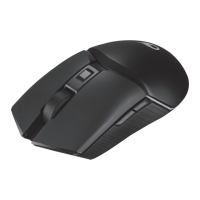

 To Next Page
 General