9
Charging the Mouse
Fully charge the unit before rst use.
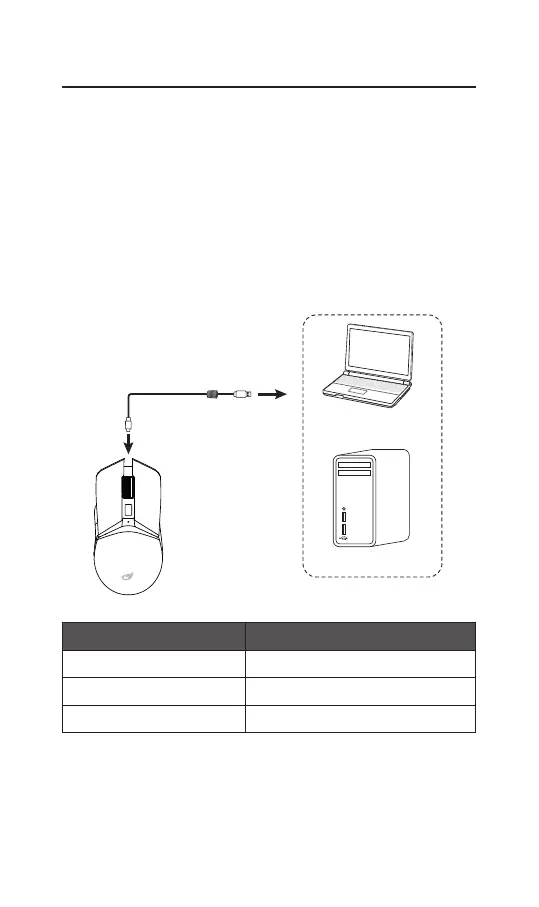
1. Plug the Type C connector of the provided USB charging cable
into the charging port of the mouse.
2. Insert the other end of the USB charging cable into your
laptop or computer (not included).
Wired Connnection
You can directly use the unit after it is connected with your
computer.
USB to Type C USB Cable (included)
Laptop
Computer
DPI indicator Status
Green light up Charging
Light o Fully Charged
Flash in Red Low Battery


 To Next Page