12
Wall Mounting
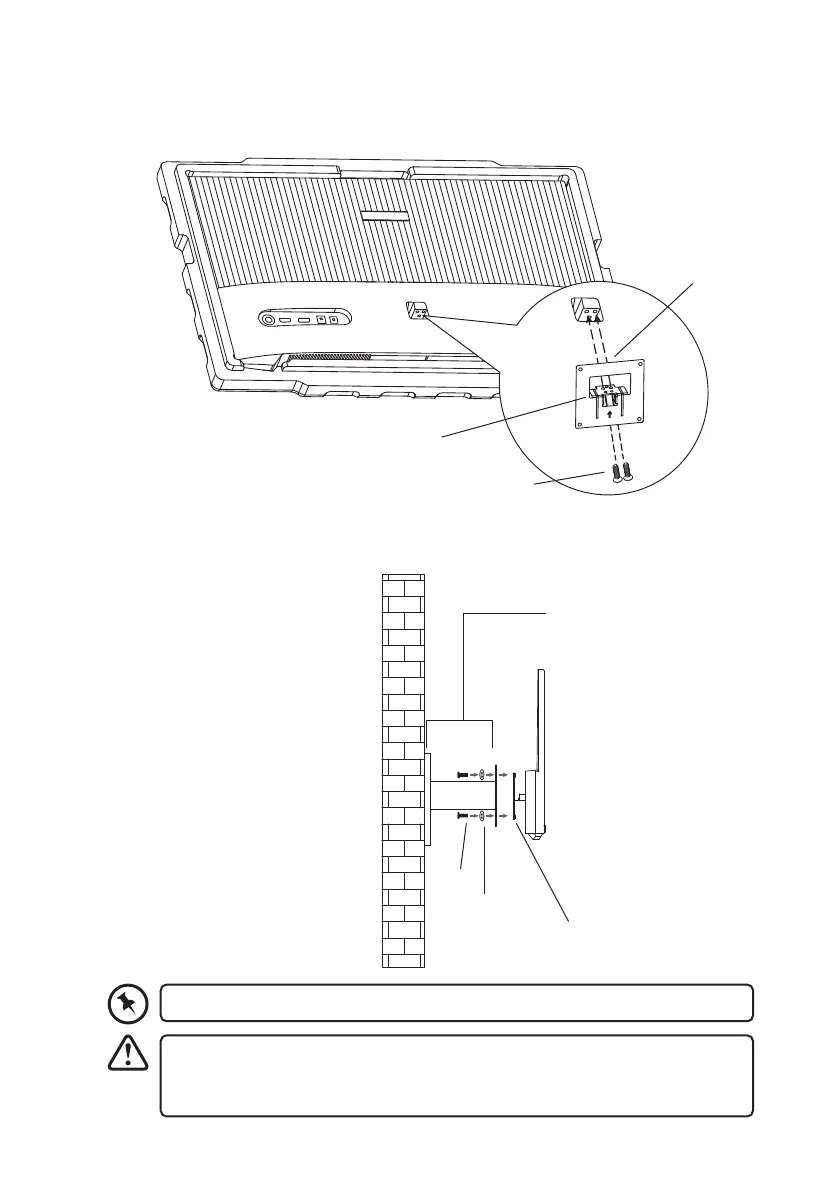
1. Tighten the wall mounting adapter onto the rear of the main unit with the 2 screws.
2. Install the unit onto the wall with the mount stud (not included), and then mount it onto
the wall.
The mounting hole distance of the mount for the unit is 75 × 75 mm
• Make sure that all the screws and studs are rmly installed.
• Do not place or hang any object on the mounted unit.
• Do not hang the unit over 2 meters from the ground.
Washer
Wall mounting adapter
Screws
Wall Stud
(not included)
Wall mounting
adapter
Screw
Washer


 To Next Page