Rated Parameters Setting
True Online 1-3k UPS User Manual
23
Annex C. Rated Parameters Setting
Rated parameters of HT11 1-3K UPS can be set from panel. Please set rated parameters in
according to the following procedures:
1) Start UPS power supply and ensure that rectifier, inverter, bypass and discharge are not
working.
2) Press ON/OFF and FUNC together for 2.5 seconds to enter in setting mode, all LEDs
flicker.
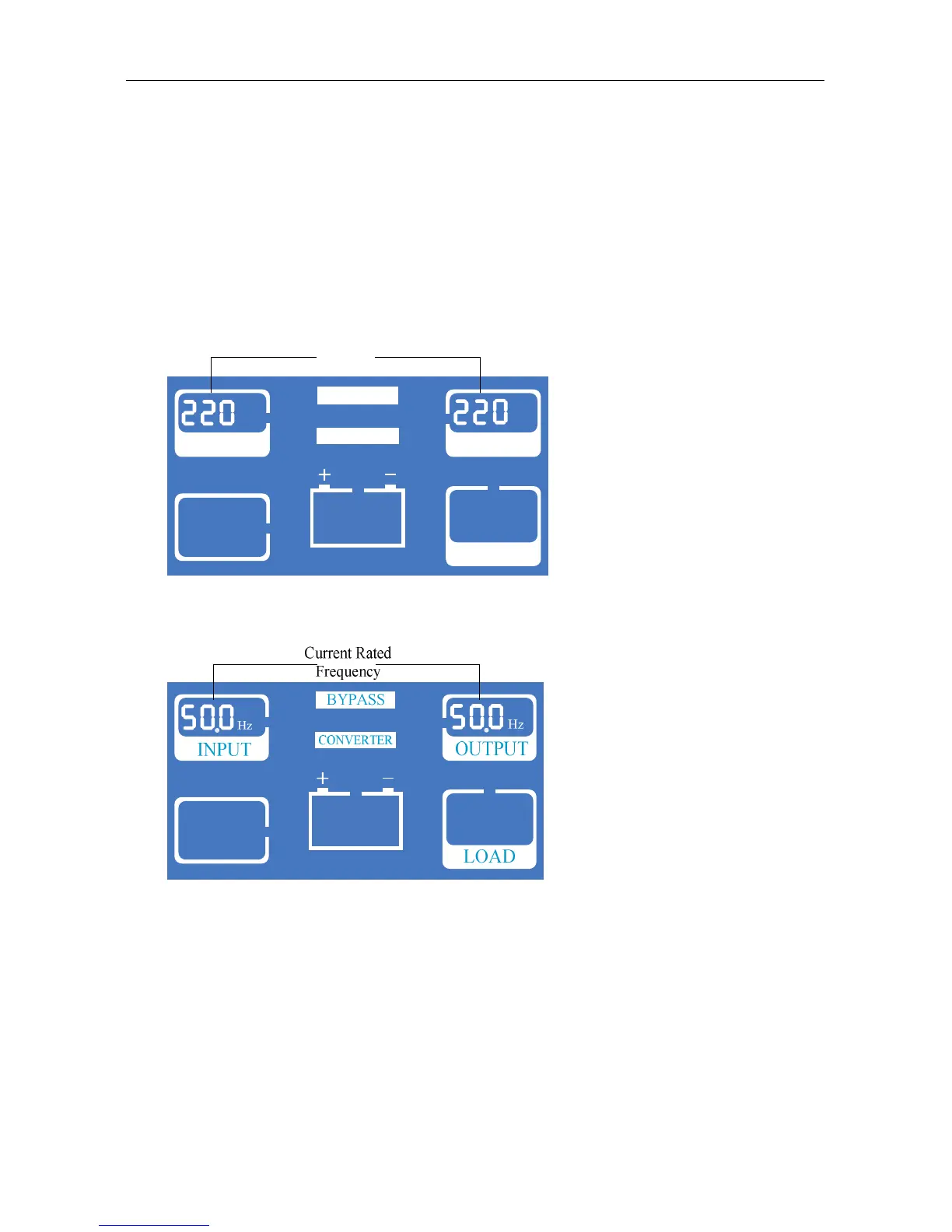
3) Voltage setting: press FUNC to change rated voltage. Shown as following:
VAC
INPUT
VAC
OUTPUT
CONVERTER
BYPASS
LOAD
Current Rated
Voltage
4) Frequency setting: Press ON/OFF to choose voltage and enter in frequency setting. Press
FUNC to change rated frequency. Shown as following:
5) Mode setting: press ON/OFF to choose frequency and enter in mode setting, press FUNC
to change mode. First code: n-normal mode, E-ECO mode. Second code indicated
current voltage/frequency are listed in description of main menu in section 6.



 To Next Page