EasyManua.ls Logo

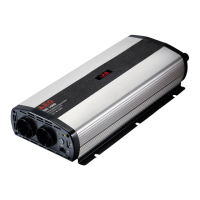
AEG 1000 W - Use; Connecting to a Car Battery; Device Operation Modes

AEG 1000 W
100 pages
Go to English
Print Icon
To Next Page IconTo Next Page
To Previous Page IconTo Previous Page
Loading...
English
25


the equivalent in Watt.
For example: 0.4 A x 230 = 92 Watts

when the vehicle is not running.
Switching the voltage converter on/o



Using the 230 V socket

European cable connectors.
1. Switch on the voltage converter.
2. Connect the plug of an external device to the

Using the 2.0 USB output socket
1. Switch on the voltage converter.
2. Plug an external USB device into the USB

The USB output on this power inverter provides a


Note:
The USB output on the power inverter is not
designed for transferring data.

similar data storage external appliances.
Using the cordless remote control module
You can control the voltage converter with the cord-

1. 

sockets.
2. 
sockets on.
Note:



To a car battery
Warning!


1. Unscrew the red and black terminal screw at the
back of the device.
2. 

with the red terminal screw.
3. 

tight with the black terminal screw.
4. 

5. 

USE
Attention!

other audio and chargeable devices can damage
the power inverter and/or the connected external
appliance.
Check to see whether the external appliance con-
nected to the power inverter “hums”, overheats

this is the case, disconnect the external appliances

appliance are incompatible and cannot be operated
-
sult the dealer of the external appliance.


The total rated voltage for external devices con-
nected to the 230 V socket and the USB port must
not exceed the rated power of the voltage converter

Note:
The power rating of an external device is indi-

particular external device. External devices such
as electric motors, e.g. drills, electric saws, refrig-


the technical label.

Table of Contents

Related product manuals