EasyManua.ls Logo

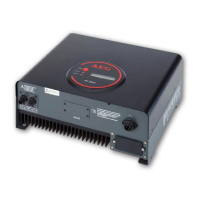
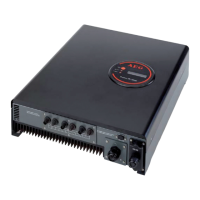
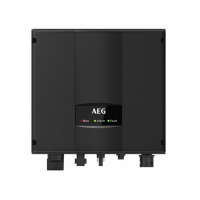
AEG Protect PV - User Manual

AEG Protect PV
24 pages
Print Icon
To Next Page IconTo Next Page
Loading...
Protect PV - Solar Inverters
User Manual
AEG Power Solutions GmbH
Revision: 01
Date: 2011-05-25
User Manual
8000038784_00_BAL_en

Other manuals for AEG Protect PV

Questions and Answers

  • R
    Raymond CollinsAug 1, 2025
    What to do if grid values are out of range on AEG Inverter?
    • M
      Monique PriceAug 1, 2025
      If your AEG Inverter displays grid values that are out of range, start by checking the voltage and frequency values shown on the display. If these values are zero, inspect the circuit-breaker (fuses) and cables. If the values are outside the permissible limits, it is recommended to request technical service from your installer or energy company.
  • R
    Robert HartmanAug 8, 2025
    What to do if my AEG Protect PV shows an internal or AC installation error?
    • S
      Sarah KelleyAug 8, 2025
      If your AEG Inverter reports an internal or AC installation error, turn off both the AC and DC (PV) power to the inverter. Conduct a visual inspection of the PV installation. If everything appears to be in order, wait for 5 minutes before reapplying AC and DC (PV) power. However, if the inverter continues to operate in fail-safe mode, service is required.
  • S
    Sean HuntAug 16, 2025
    What to do if AEG Inverter PV isolation resistance is too low?
    • T
      theresasmallAug 16, 2025
      If your AEG Inverter indicates that the PV isolation resistance is too low, begin by performing a visual inspection of all PV cables and modules. If this issue arises frequently, it's recommended to request technical service.
  • J
    Jason GarciaAug 23, 2025
    What to do if an internal event has occurred in AEG Protect PV Inverter?
    • B
      Barbara GallagherAug 23, 2025
      If an internal event has occurred with your AEG Inverter, ensure that the airflow over the heat sink is not obstructed. Wait for 5 minutes to see if the inverter reconnects, assuming sufficient irradiance is available. If it doesn't reconnect, or if the event occurs regularly, service is required.

Summary

1. Introduction

1.1. Introduction

Manual provides information on functionality and maintenance of the Protect PV solar inverter.

1.2. Operation Mode Definition

Defines the different operating states of the inverter: Off grid, Connecting, On grid, and Fail Safe.

2. Display

2.1. Display

Describes the inverter's integrated display, its modes, and button functionality.

2.1.1. View

Details the 'View' section of the inverter menu, presenting read-only information.

2.1.2. View 2

Details the 'View 2' section of the inverter menu, showing grid management and performance data.

2.1.3. Status

Explains the 'Status' section, covering ambient conditions, PV inputs, AC grid, and system details.

2.1.4. Production Log

Details the 'Production Log' section, showing historical energy production and irradiation data.

2.1.5. Setup

Covers the 'Setup' section, including calibration, inverter details, network, and communication settings.

3. Web Server Quick Guide

3.1. Introduction

Introduces the Protect PV Web Server for remote access to the inverter.

3.2. Supported Characters

Lists the characters supported for input via the Web Server interface.

3.3. Access and Initial Setup

Guides on connecting to the inverter via Ethernet and performing initial configuration.

3.4. Operation

Explains how to operate the inverter after setup, including master/slave configurations.

3.4.1. Web Server Structure

Describes the layout and components of the Web Server interface for monitoring and control.

3.4.2. Plant, Group and Inverter Views

Explains the different overview screens for viewing plant, group, and individual inverter status.

3.5. Additional Information

Points users to further resources like the Web Server User Manual for more details.

4. Troubleshooting

4.1. Troubleshooting

Provides a checklist and guidance for diagnosing and resolving inverter issues.

5. Maintenance

5.1. Maintenance

Outlines routine maintenance tasks for the inverter, including cleaning.

5.1.1. Cleaning the Cabinet

Instructions on how to clean the inverter's external cabinet.

5.1.2. Cleaning the Heatsink

Instructions on how to clean the inverter's heatsink for proper operation.

AEG Protect PV Specifications

General IconGeneral
AC nominal voltage230 V
Max. DC voltage550 V
Input Voltage Range125 - 550 V
Output Voltage230 V
Frequency50/60 Hz

Related product manuals