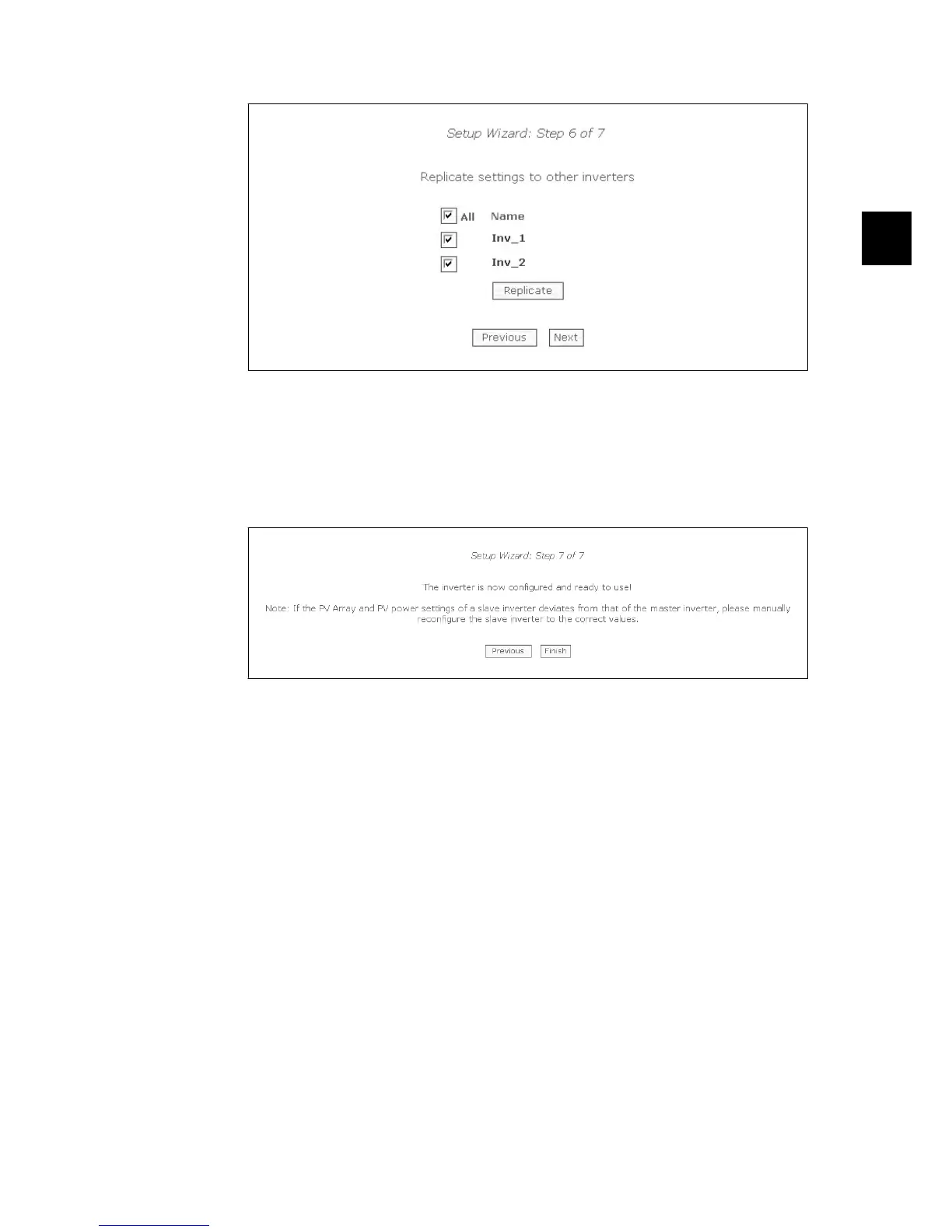
Illustration 3.7: Step 6 of 7: Replication
Step 7 of 7: Inverter startup
The inverter will start automatically when the installation sequence is complete (see the Protect
PV Installation Manual), and solar radiation is sufficient.
The startup sequence, including self-test, takes a few minutes.
Illustration 3.8: Step 7 of 7: Inverter startup
To change the setup later, access the inverter via the integrated web interface or the display, at
inverter level.
•
To change the name of the inverter, go to [Setup → Inverter details]
•
To enable master mode, go to [Setup → Inverter details]
3.4.
Operation
3.4.1. Web Server Structure
The Web Server overview is structured as follows.
3. Web Server Quick Guide
8000038784_00_BAL_en / L00410565-01_02 17
3



 To Next Page
 Loading...