7
Touch Control sensor fields
The appliance is operated using the Touch Control sensor fields. Func-
tions are controlled by touching sensor fields and confirmed by dis-
plays.
Touch the sensor fields from above, without covering other sensor
fields.
Displays
Residual heat indicator
1 Warning! Risk of burns from residual heat. After being switched off,
the cooking zones need some time to cool down. Look at the residual
heat indicator
h .
3 Residual heat can be used for melting and keeping food warm.
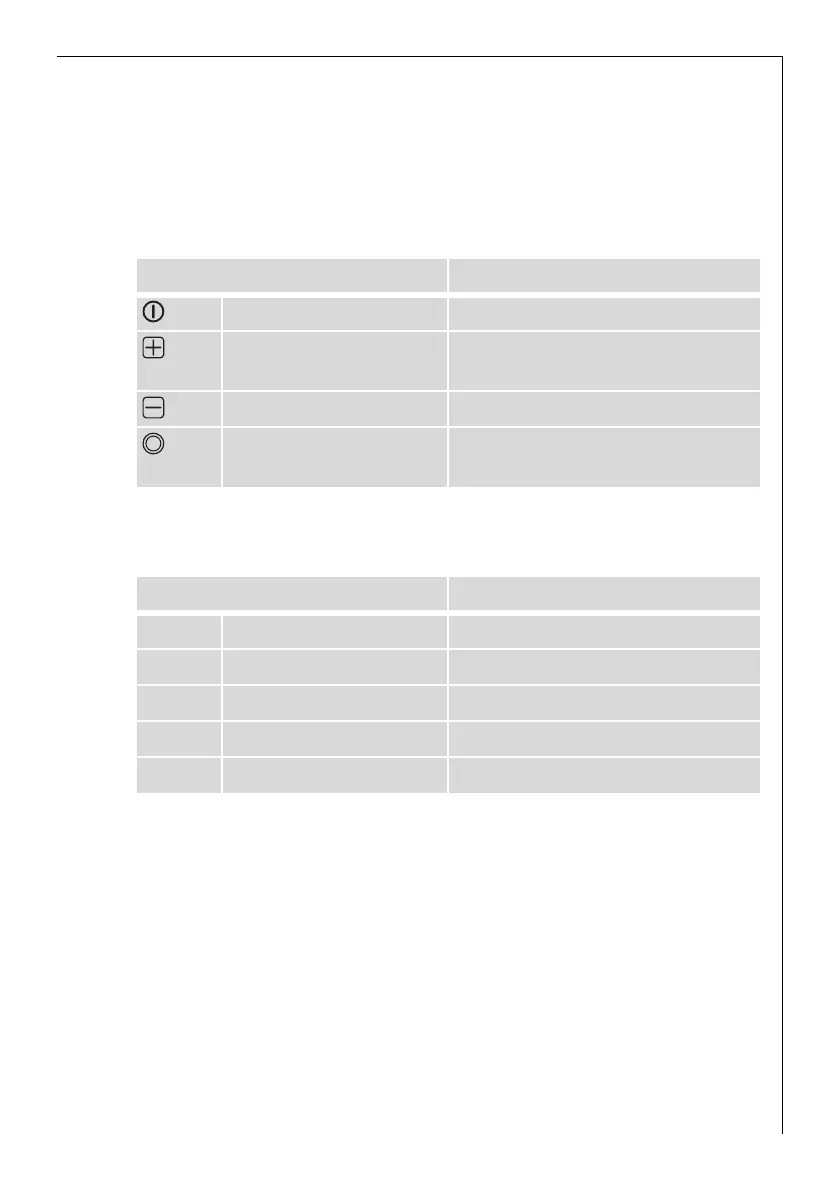
Sensor field Function
On / Off Switches appliance on and off
Increase settings Select cooking zone
Increases heat setting
Reduce settings Reduces heat setting
Dual zone touch control Switches outside zone
on and off
Display Description
¾ Cooking zone is switched off
¿ - Ç Heat settings Heat setting is set
ER Fault Malfunction has occurred
h Residual heat Cooking zone is still hot
l Child safety device Lock/child safety device is set.


 To Next Page