EasyManua.ls Logo

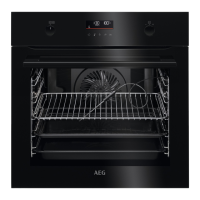
AEG BPK556260B - User Manual

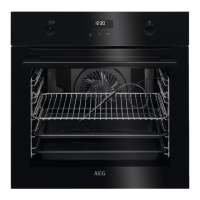
AEG BPK556260B
40 pages
Print Icon
To Next Page IconTo Next Page
Loading...
USER
MANUAL
EN User Manual
Oven
BPE556060M
BPK556260B
BPK556260M

Questions and Answers

AEG BPK556260B Specifications

General IconGeneral
Oven sizeMedium
Oven typeElectric
Cleaning typePyrolytic
Bottom heatingYes
Number of ovens1
Reheat function-
Total oven power3300 W
Microwave cookingNo
Number of shelves2 shelves
Oven thermostat range30 - 300 °C
Total oven(s) interior capacity71 L
Door hingedown
Noise level48 dB
Control typeRotary, Touch
Display typeLED
Door materialGlass
Product colorBlack
Control positionTop front
Interior materialEnamel
Oven door openingDrop down opening
Appliance placementBuilt-in
Timer typeDigital
AC input voltage240 V
AC input frequency50 Hz
Energy efficiency scaleA+++ to D
Energy efficiency index (EEI)81.2
Energy consumption (conventional)1.09 kWh
Energy consumption (forced convection)0.69 kWh
Weight and Dimensions IconWeight and Dimensions
Depth567 mm
Width595 mm
Height594 mm
Installation compartment depth550 mm
Installation compartment width560 mm
Installation compartment height590 mm

Summary

CUSTOMER CARE AND SERVICE

Warning; Caution-Safety information

Safety warnings and precautions for appliance use.

General information and tips

General guidance and helpful advice for users.

Environmental information

Information related to the appliance's environmental impact and disposal.

1. SAFETY INFORMATION

1.1 Children and vulnerable people safety

Safety guidelines for children and vulnerable individuals.

1.2 General Safety

General safety precautions and warnings for appliance operation.

8. HOW TO USE: ACCESSORIES

8.1 Inserting accessories

Instructions on how to insert various oven accessories correctly.

8.2 Using Trivet and Grill-; Roasting pan

Guidance on using the trivet and roasting pan for cooking.

8.3 Food Sensor

Information and usage of the food sensor for cooking.

9. ADDITIONAL FUNCTIONS

9.1 Lock

Explanation of the oven's lock function to prevent accidental changes.

9.2 Automatic switch-off

Details on the automatic switch-off safety feature.

9.3 Cooling fan

Information about the oven's cooling fan operation.

10. HINTS AND TIPS

10.1 Moist Fan Baking

Tips and suggestions for using the Moist Fan Baking function.

10.2 Moist Fan Baking - recommended accessories

Recommended accessories for the Moist Fan Baking function.

10.3 Cooking tables for test institutes

Cooking data tables intended for test institutes.

11. CARE AND CLEANING

11.1 Notes on cleaning

General guidelines and notes for cleaning the appliance.

11.2 How to clean: Cavity embossment

Specific instructions for cleaning the oven cavity embossment.

11.3 How to remove: Shelf supports

Steps for removing and reinstalling shelf supports for cleaning.

11.4 How to use: Pyrolytic Cleaning

Guide to using the pyrolytic self-cleaning function.

11.5 Cleaning Reminder

Information on the oven's cleaning reminder function.

11.6 How to remove and install: Door

Instructions for removing and installing the oven door.

11.7 How to replace: Lamp

Steps for replacing the oven lamp.

12. TROUBLESHOOTING

12.1 What to do if...

Troubleshooting guide for common oven problems.

13. ENERGY EFFICIENCY

13.2 Energy saving

Tips and features for saving energy during cooking.

14. MENU STRUCTURE

14.1 Menu

Overview of the oven's menu structure and navigation.

15. ENVIRONMENTAL CONCERNS

6. DAILY USE

5.1 Initial cleaning

Steps for cleaning the oven before its first use.

5.2 Initial preheating

Procedure for preheating the oven before initial use.

6.1 How to set: Heating functions

Steps for selecting and setting heating functions.

6.2 Heating functions

Detailed explanation of various heating functions available.

Steam cooking

Instructions for steam cooking mode.

Standard heating functions

Lists and explains the standard heating functions of the oven.

Menu

How to access the Menu for Assisted Cooking, Cleaning, and Settings.

6.3 Notes on: Moist Fan Baking

Specific notes and usage guidelines for Moist Fan Baking.

6.4 How to set: Assisted Cooking

Step-by-step guide to using the Assisted Cooking feature.

6.5 Assisted Cooking

Detailed guide and recipes for Assisted Cooking.

7. CLOCK FUNCTIONS

7.1 Clock functions

Overview of the different clock functions available.

7.2 How to set: Clock functions

Step-by-step instructions for setting clock functions.

Related product manuals