Step 10 When the water drawer runs out of water, the signal sounds. Refill the water drawer.
At the end of cooking, the cooling fan runs quicker to remove steam.
Step 11 Turn off the oven.
Step 12 Empty the water drawer after cooking ends.
Step 13 Residual water can condensate in the cavity. After cooking, carefully open the oven door. When the
oven is cold, dry the cavity with a soft cloth.
6.5 How to set: SousVide Cooking
Step 1 Turn on the oven.
Select the symbol of the heating function and press it to enter the submenu.
Step 2
Press: .
Step 3
Press: . The display shows the temperature settings.
Step 4
Set the temperature and press: .
Step 5
Press . The display shows timer settings.
Step 6
Set the timer and press: .
Step 7
Press: .
Step 8 Residual water can accumulate on the vacuum bags and in the cavity. After cooking, open the oven
door carefully. Use a plate and a towel to take out the vacuum bags. When the oven is cold, remove
the water from the bottom of the cavity with a sponge. Dry the cavity with a soft cloth.
6.6 How to set: Assisted Cooking
Every dish in this submenu has a recommended function and temperature. You can adjust the
time and the temperature.
For some of the dishes you can also cook with:
• Weight Automatic
• Food Sensor
The degree to which a dish is cooked:
• Rare or Less
• Medium
• Well done or More
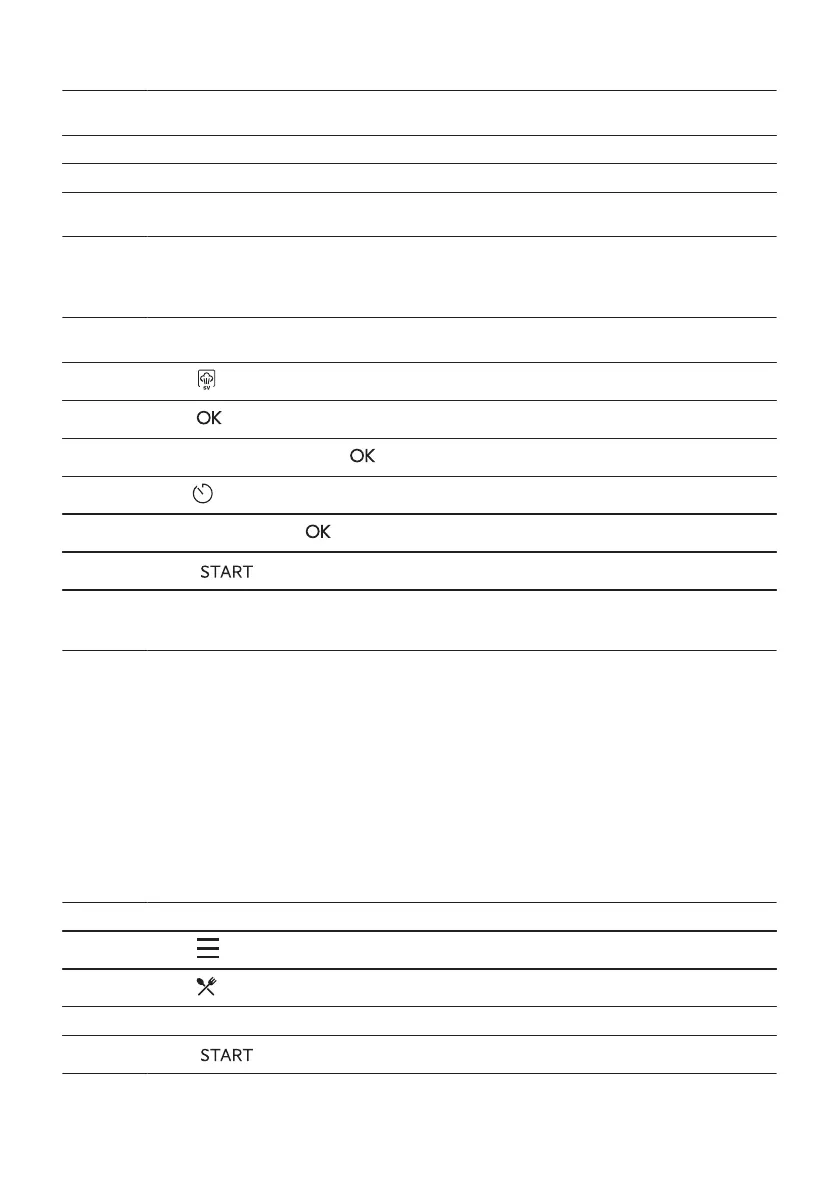
Step 1 Turn on the oven.
Step 2
Press: .
Step 3
Press: . Enter: Assisted Cooking.
Step 4 Choose a dish or a food type.
Step 5
Press: .
ENGLISH 215


 To Next Page
 Loading...