30
Setting a wash programme
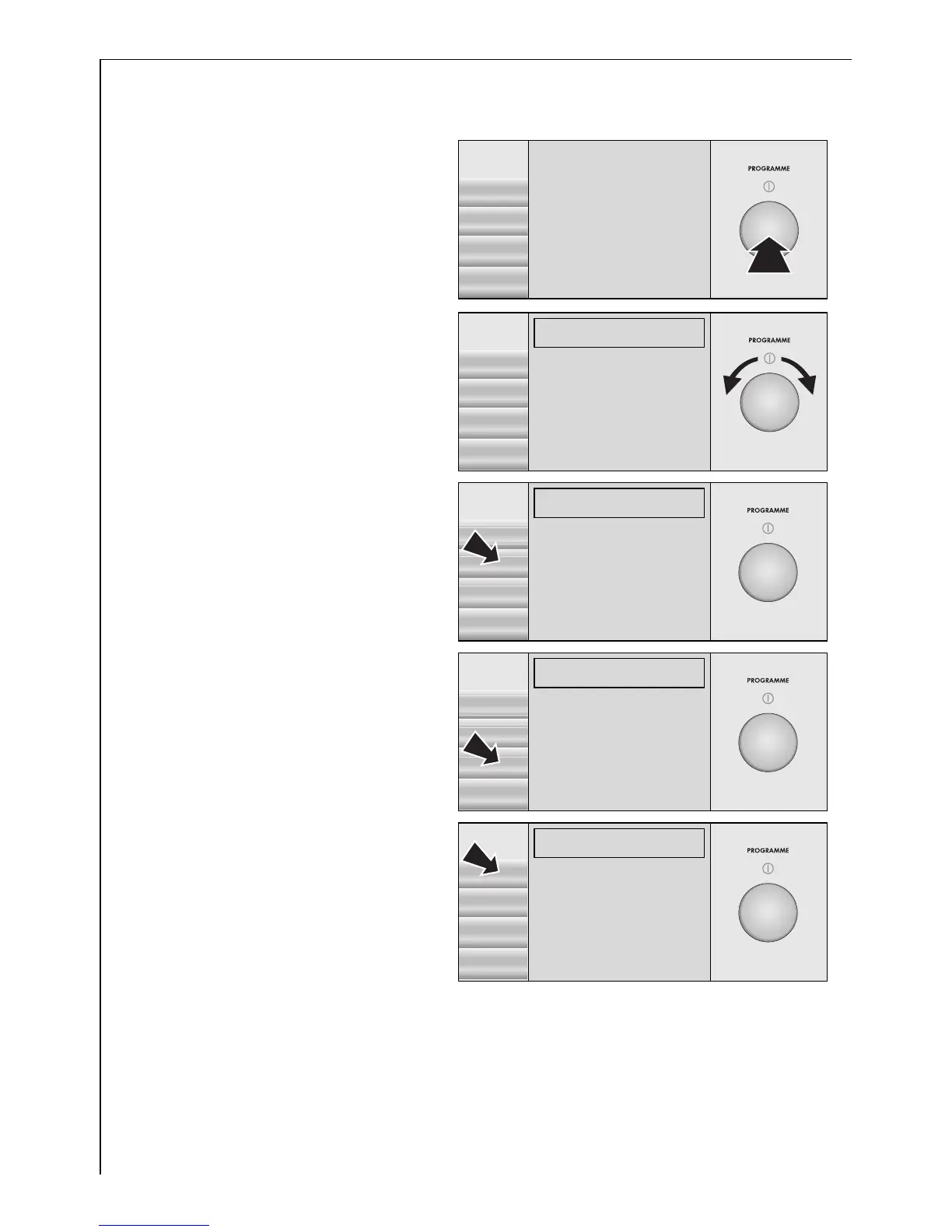
1. Press the control knob.
The appliance is now
switched on.
2. Use the control knob to
highlight the desired wash
programme, e.g. DELICATES.
3. Press the button for the
wash temperature and con-
tinue pressing it until the
desired temperature appears
(e.g. 30°).
4. Press the button for the spin
speed and continue pressing
it until the desired spin
speed (e.g. 1,000) or the
RINSE HOLD indicator ap-
pears.
5. If you do not wish to make
any further settings, press
the START button.
The wash programme will
start. (See the chapter
“Starting a wash pro-
gramme”.)
If you would like to select
options, see the chapter “Setting options”.
DELICATES 40°C
1000 RPM 11:25-12:36
î
START
LINEN/EASY-C.
40°
ENERGY SAVING
COTTONS
1200
DELICATES)
OPTIONS WOOLLENS H
DELICATES 30°C
1200 RPM 11:25-12:36
î
START
LINEN/EASY-C.
30°
ENERGY SAVING
COTTONS
1200
DELICATES)
OPTIONS WOOLLENS H
DELICATES 30°C
1000 RPM 11:25-12:36
î
START
LINEN/EASY-C.
.
30°
ENERGY SAVING
COTTONS
1000
DELICATES)
OPTIONS WOOLLENS H
DELICATES 30°C
1000 RPM 11:25-12:36
î
START
LINEN/EASY-C.
30°
ENERGY SAVING
COTTONS
1000
DELICATES)
OPTIONS WOOLLENS H


 To Next Page
 Loading...