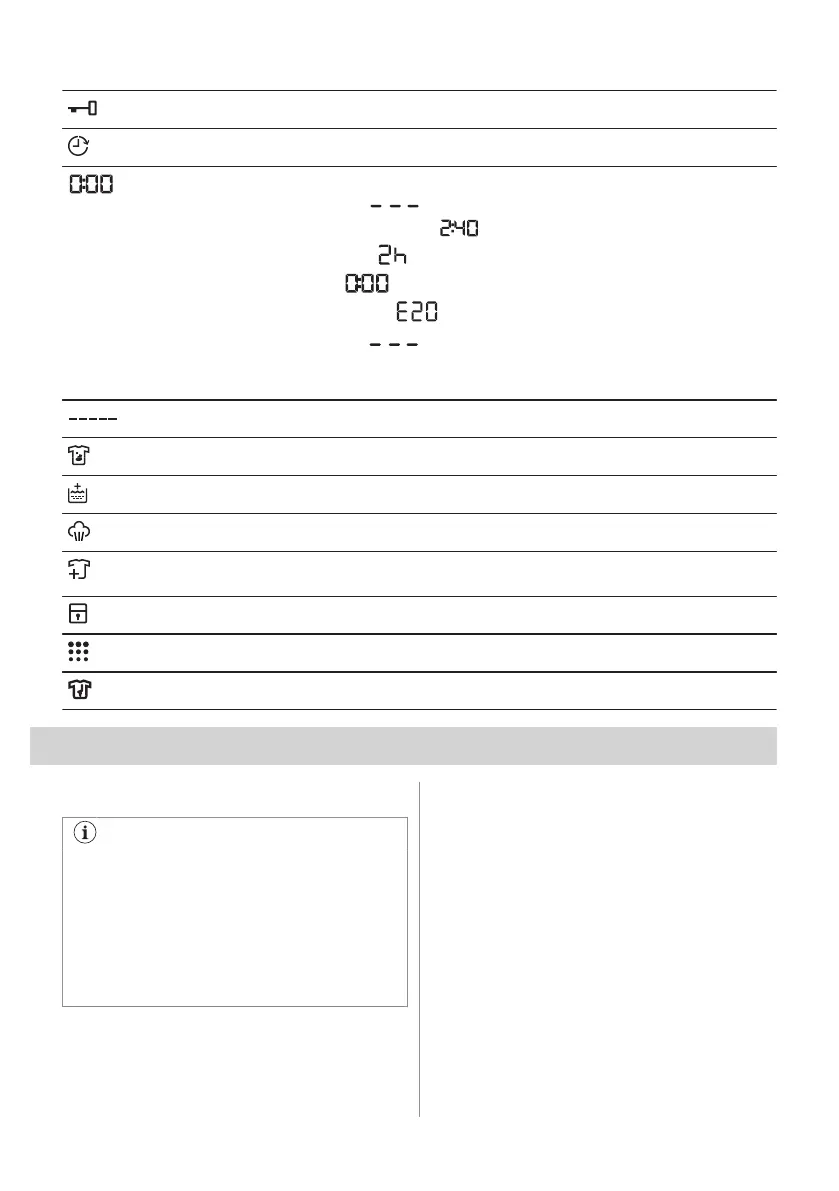
Door locked indicator.
Delay start indicator.
The digital indicator can show:
• Reset position ( ).
• Programme duration (e. g. ).
• Delay time (e. g.
).
• Cycle end ( ).
• Warning code (e.g.
).
• Error indicator (
).
• Indication of total operating hours of the appliance. Refer to the 'Operating hours
counter' section in the 'Settings' paragraph for more details.
Extra Rápido indicator.
Anti-stain indicator.
Extra Rinse indicator.
Steam phase indicator.
Add garments indicator. it lights at the beginning of the washing phase, when it is
still possible to pause the appliance and add more laundry.
Child safety lock indicator.
Machine clean indicator. This is a recommendation to perform the drum cleaning.
Anti-crease phase indicator.
7. DIAL AND BUTTONS
7.1 Introduction
The options/functions are not available
with all washing programmes. Check the
compatibility between options/functions
and washing programmes in the
"Programme Chart". An option/function
can exclude another one, in this case the
appliance doesn't allow you to set
incompatible options/functions.
7.2 On/Off
Press this button for a few seconds to
activate or deactivate the appliance. Two
different tunes sound while switching the
appliance on or off.
As the Stand-by function automatically
deactivates the appliance after several
minutes to reduce the energy consumption,
you may need to activate the appliance
again.
For more details, refer to Stand-by paragraph
in Daily Use chapter.
ENGLISH 19


 To Next Page