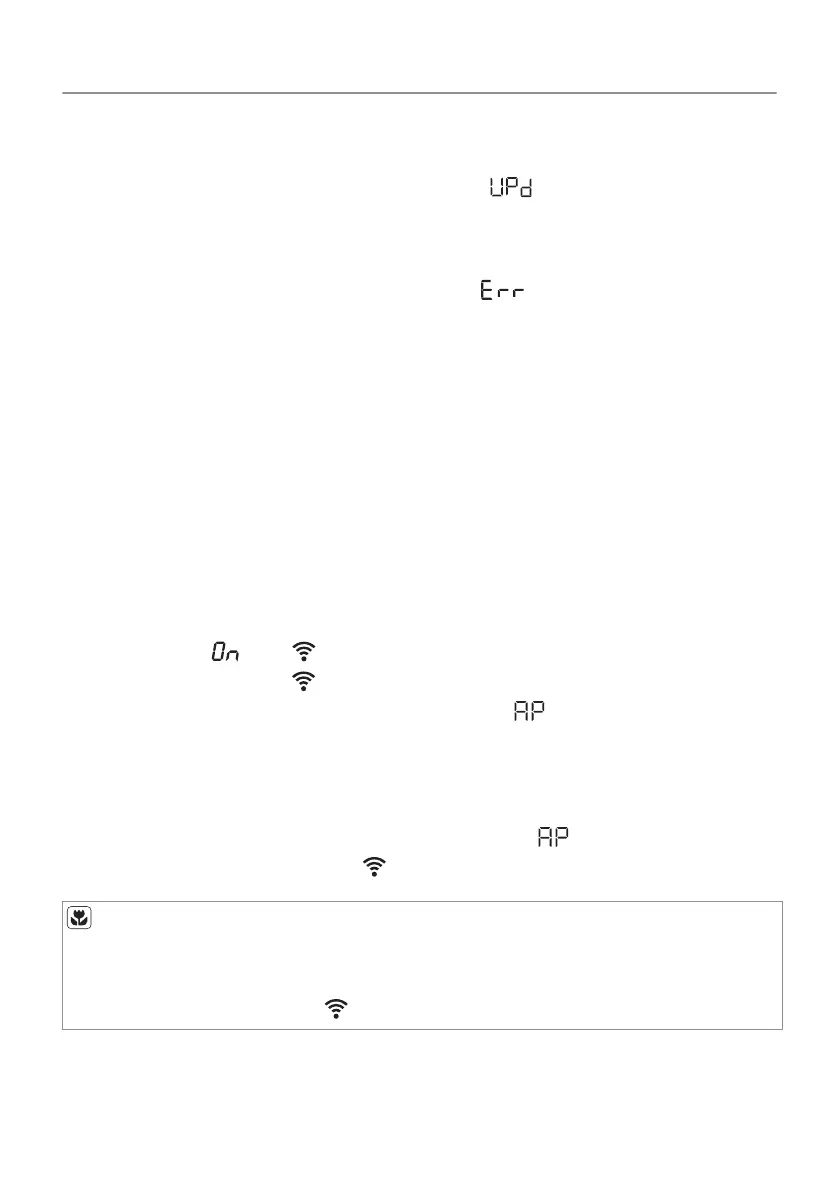
If a programme is running, the App notifies that the update will start
at the end of the programme.
During the update, the appliance shows in the display.
The appliance will usable again at the end of the update, without
any notification about successful update.
If an error occurs, the appliance shows in the display: just
press any buttons or turn the knob to return to normal use.
5.3 Wireless connection configuration
Before you begin configuration download and install My AEG
application on your smart device.
1. In the App - tap on Add appliance and follow the instructions on
the App for appliance connection.
2. Push the Aan/Uit button to switch on the appliance.
3. Wait approximately 8 seconds.
4. Touch and hold the Opfrissen and Startuitstel buttons
simultaneously for a few seconds until a 'click' sound is heard.
The symbols: and appear on the display. After few seconds
only flashing symbol: remains. Wireless module is activating for
around 1 minute. When ready the symbol: (Access Point)
appears on the display. Access Point is open for around 3
minutes.
5. Configure My AEG application on your smart device.
If the configuration is successful the symbol: (Access Point)
disappears and the symbol:
stops flashing.
Each time you switch the appliance on, the appliance attempt to
connect to the network automatically. When the connection is
established the symbol: stops flashing.
18/64
WI-FI - CONNECTIVITY SETUP


 To Next Page