10.8 Starting a program
To start the program:
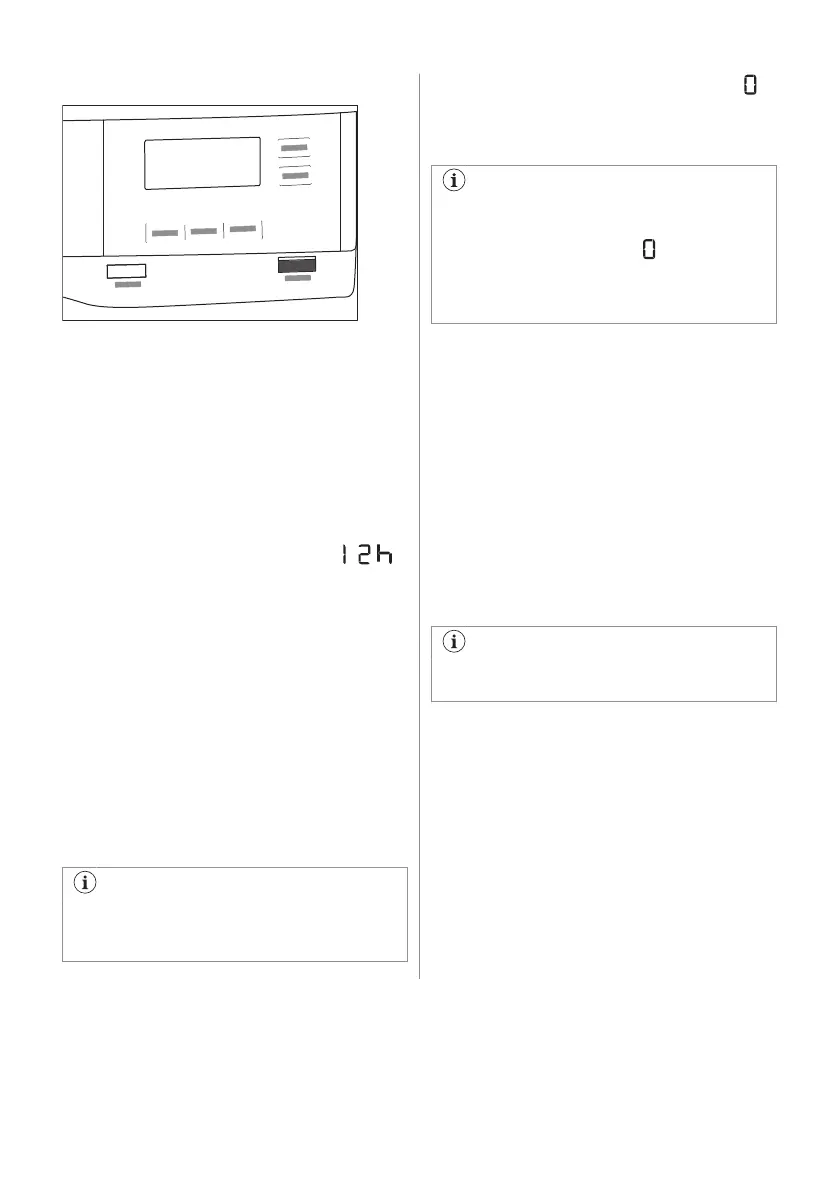
Touch the Inicio/Pausa button.
The appliance starts and the LED above the
button stops flashing and stays on.
10.9 Starting a program with Inicio
Diferido
1. Set the drying program and options.
2. Touch Inicio Diferido button again and
again.
Time of delay is on the display (e.g.
if the program has to start after 12 hours.)
3. To activate Inicio Diferido option, touch
the Inicio/Pausa button.
Time to start decreases on the display.
10.10 Program change
To change a program:
1. Push the On/Off button to turn the
appliance off.
2. Push the On/Off button again to turn on
the appliance.
3. Set a new program.
10.11 Programme end
Clean the filter and drain the water
container after each drying cycle. (See
chapter CARE AND CLEANING.)
If the drying cycle is finished, the symbol
appears on the display. If the Alarm. option is
activated, the acoustic signal sounds
intermittently for 1 minute.
If you do not turn off the appliance, the
anti-crease phase starts (not active with
all programmes). Flashing symbol
signals the execution of the anti-crease
phase. Laundry can be removed during
this phase.
To remove the laundry:
1. Push the On/Off button for 2 seconds to
turn the appliance off.
2. Open the appliance door.
3. Remove the laundry.
4. Close the appliance door.
Possible causes of unsatisfactory drying
results:
• Inadequate default dryness level settings.
See chapter
Adjustment of the target final
moisture
• Room temperature is too low or too high.
Optimal room temperature is between
18°-25°C.
Leave the door slightly opened after
every cycle to avoid moisture.
ENGLISH 47



 To Next Page