EasyManua.ls Logo

AEG Voxtel D235 - User Manual

AEG Voxtel D235
42 pages
Print Icon
To Next Page IconTo Next Page
Loading...
1
UK
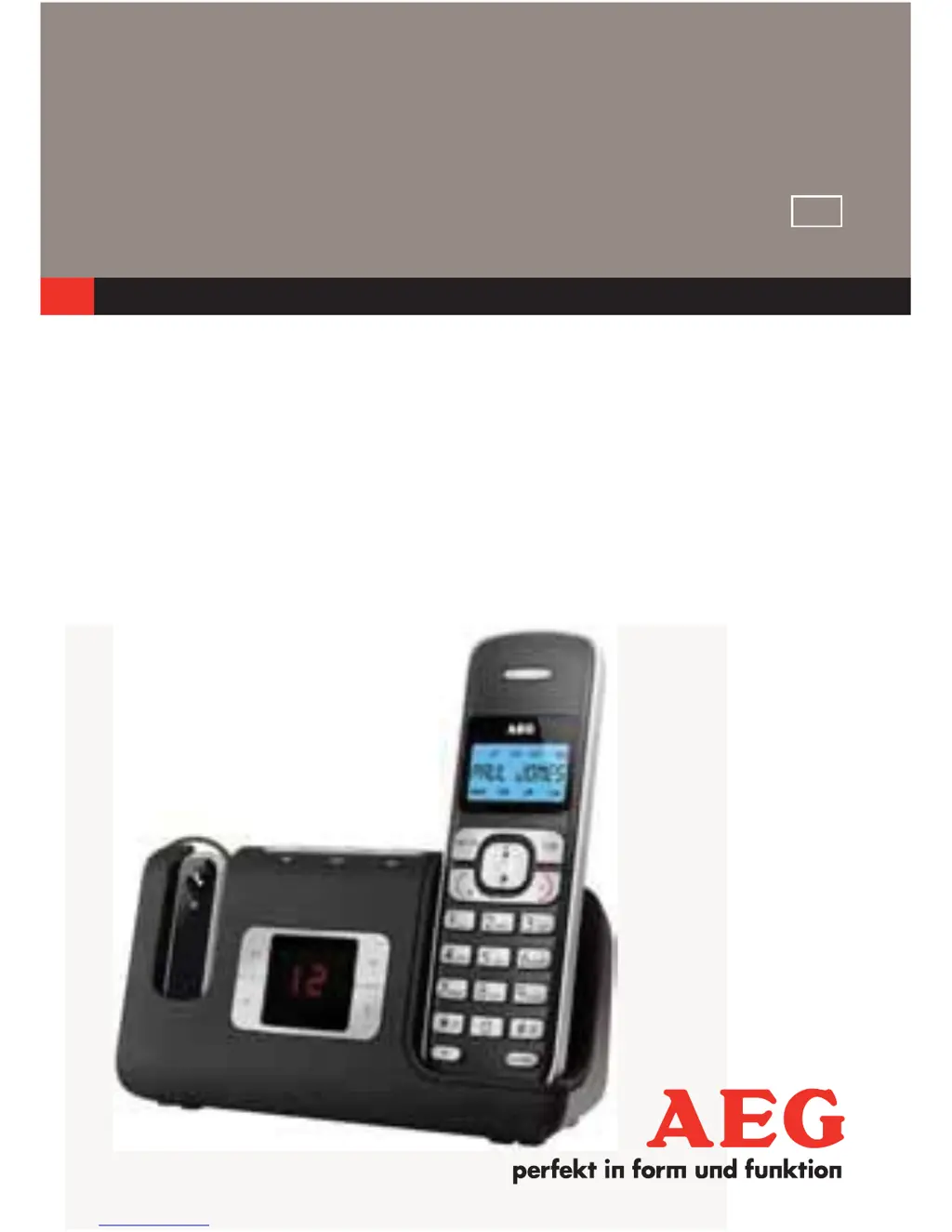
CORDLESS
TELEPHONE
Voxtel D235
USER GUIDE
V1
UK

Other manuals for AEG Voxtel D235

Questions and Answers

Summary

Important Safety Instructions

General Safety Precautions

Key safety guidelines for operating the telephone, including handling, environment, and electrical safety.

Specific Safety Warnings

Warnings on battery usage, cleaning, thunderstorms, and specific usage restrictions.

Getting to Know Your Phone

Base Station and Answering Machine Controls (P3)

Base Station Operation Controls

Includes Find, Answer On/Off, Delete, Volume, and Repeat functions.

Base Station Message Playback Controls

Functions for playing and skipping messages.

Installing Your Phone

Using Your Phone

Making a Call

Step-by-step instructions for initiating calls.

Answering a Call

Instructions on how to receive an incoming call.

Ending a Call

Methods to terminate an active call.

Making Internal Calls (Multi-handset)

Instructions for making calls between multiple registered handsets.

Making a 3-Way Conference Call

Setting up and participating in a three-way conference call.

Private Phonebook

Adding a New Phonebook Entry

Steps to enter and save new contact details.

Searching for a Phonebook Entry

Locating specific contacts within the stored phonebook.

Caller Display (Network Dependent)

Phone Settings

Base Settings

Registration

Resetting Your Phone

Answering Machine

Turning Answering Machine On;Off

Methods to enable or disable the answering machine functionality.

Answering Machine Status Indicators

Understanding the LCD indicators for answering machine status.

Listening to Messages

Accessing and playing recorded messages from the answering machine.

Message Playback Controls

Using STOP, FORWARD, PREVIOUS, and DELETE functions for messages.

Deleting All Messages

Removing all stored messages from the answering machine.

Recording a Memo

Creating voice memos for other users of the phone.

Answering Machine Settings

Customizing the operational parameters of the answering machine.

Recording Your Own Outgoing Message (OGM)

Personalizing the outgoing greeting message.

Playback and Delete Outgoing Message (OGM)

Managing your personalized outgoing greeting messages.

Setting Recording Time

Defining the maximum length for incoming messages.

Call Screening

Listening to callers leaving messages before deciding to answer.

Activating Remote Access

Enabling the ability to control the answering machine remotely.

Changing Remote Access PIN

Modifying the PIN for secure remote access.

Activating or Deactivating Remote Access

Turning the remote access feature on or off.

Accessing Answering Machine Remotely

Instructions for remotely managing messages and settings.

Troubleshooting

No Dialling Tone Issues

Troubleshooting steps for when no dial tone is present.

PBX Connection Problems

Resolving issues with connecting to or dialing through a PBX.

Searching Display Issues

Diagnosing and resolving the 'SEARCHING' status message.

Call Functionality Failures

Troubleshooting general problems with making or receiving calls.

No Display on Handset

Steps to resolve a blank or non-functional handset display.

Answering Machine Recording Issues

Troubleshooting why the answering machine is not recording new messages.

Answering Machine Caller Issues

Resolving problems that prevent callers from leaving messages.

Remote Answering Machine Operation Issues

Resolving problems with remote access to the answering machine.

Recording Interruption Issues

Troubleshooting recording stops due to incoming calls.

Summary

Important Safety Instructions

General Safety Precautions

Key safety guidelines for operating the telephone, including handling, environment, and electrical safety.

Specific Safety Warnings

Warnings on battery usage, cleaning, thunderstorms, and specific usage restrictions.

Getting to Know Your Phone

Base Station and Answering Machine Controls (P3)

Base Station Operation Controls

Includes Find, Answer On/Off, Delete, Volume, and Repeat functions.

Base Station Message Playback Controls

Functions for playing and skipping messages.

Installing Your Phone

Using Your Phone

Making a Call

Step-by-step instructions for initiating calls.

Answering a Call

Instructions on how to receive an incoming call.

Ending a Call

Methods to terminate an active call.

Making Internal Calls (Multi-handset)

Instructions for making calls between multiple registered handsets.

Making a 3-Way Conference Call

Setting up and participating in a three-way conference call.

Private Phonebook

Adding a New Phonebook Entry

Steps to enter and save new contact details.

Searching for a Phonebook Entry

Locating specific contacts within the stored phonebook.

Caller Display (Network Dependent)

Phone Settings

Base Settings

Registration

Resetting Your Phone

Answering Machine

Turning Answering Machine On;Off

Methods to enable or disable the answering machine functionality.

Answering Machine Status Indicators

Understanding the LCD indicators for answering machine status.

Listening to Messages

Accessing and playing recorded messages from the answering machine.

Message Playback Controls

Using STOP, FORWARD, PREVIOUS, and DELETE functions for messages.

Deleting All Messages

Removing all stored messages from the answering machine.

Recording a Memo

Creating voice memos for other users of the phone.

Answering Machine Settings

Customizing the operational parameters of the answering machine.

Recording Your Own Outgoing Message (OGM)

Personalizing the outgoing greeting message.

Playback and Delete Outgoing Message (OGM)

Managing your personalized outgoing greeting messages.

Setting Recording Time

Defining the maximum length for incoming messages.

Call Screening

Listening to callers leaving messages before deciding to answer.

Activating Remote Access

Enabling the ability to control the answering machine remotely.

Changing Remote Access PIN

Modifying the PIN for secure remote access.

Activating or Deactivating Remote Access

Turning the remote access feature on or off.

Accessing Answering Machine Remotely

Instructions for remotely managing messages and settings.

Troubleshooting

No Dialling Tone Issues

Troubleshooting steps for when no dial tone is present.

PBX Connection Problems

Resolving issues with connecting to or dialing through a PBX.

Searching Display Issues

Diagnosing and resolving the 'SEARCHING' status message.

Call Functionality Failures

Troubleshooting general problems with making or receiving calls.

No Display on Handset

Steps to resolve a blank or non-functional handset display.

Answering Machine Recording Issues

Troubleshooting why the answering machine is not recording new messages.

Answering Machine Caller Issues

Resolving problems that prevent callers from leaving messages.

Remote Answering Machine Operation Issues

Resolving problems with remote access to the answering machine.

Recording Interruption Issues

Troubleshooting recording stops due to incoming calls.

AEG Voxtel D235 Specifications

General IconGeneral
BrandAEG
ModelVoxtel D235
CategoryCordless Telephone
LanguageEnglish

Related product manuals