5 GETTING TO KNOW YOUR PHONE
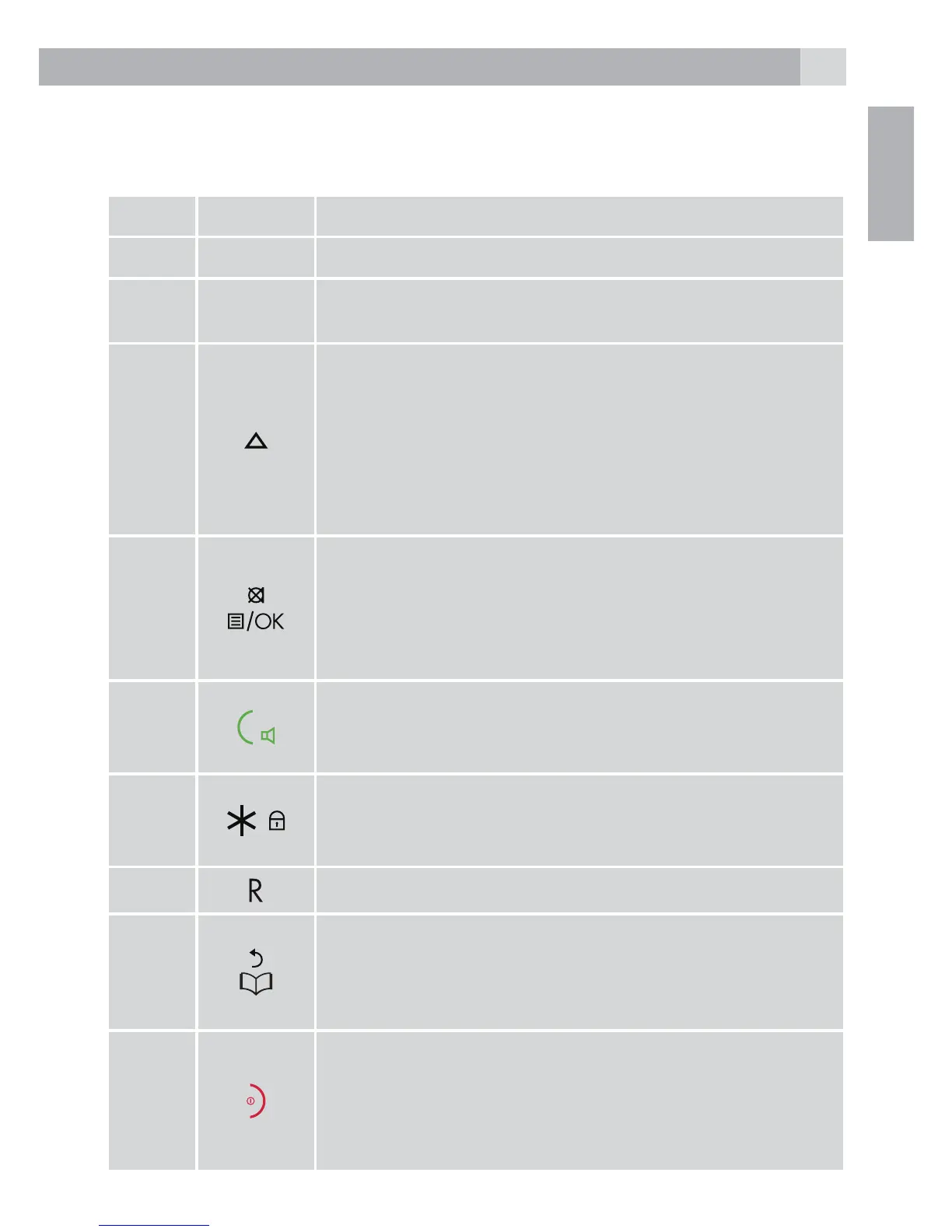
5.1 Overview of the handset
# Meaning
1 Earpiece
2 Display
3
• During a call, press to increase earpiece
volume.
• When the phone is ringing, press to increase
the handset ringer volume.
• Press to scroll through the menu options,
redial list, calls list and phonebook entries.
4
• Press to open the Menu.
• Press to select menu options and to conrm a
displayed option.
• During a call, press to turn mute on/off.
5
• Press to switch hands-free on or off during a
call.
• Press to make and receive calls.
6
• To unlock, press any key and follow the on screen
instructions.
• Press and hold to lock the keypad.
7
• Press to generate a Flash signal
8
• In standby mode, press to open the
phonebook menu. In editing mode, press to
delete characters and digits.
• Go back to the previous menu level.
9
• Press to end a call. When viewing the redial
/ calls list / phonebook or when in the menu,
press to exit and return to standby.
• Press and hold for 3 seconds to switch the
handset on / off.



 To Next Page