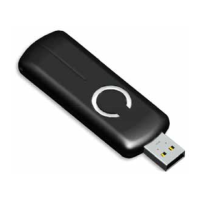
Stick to factory default Settings will
1, exclude the Z-Stick from the Z-Wave network;
2, remove all Node ids that the Z-Stick included.
3, restore the configuration settings to the default.
3.2 Function of Reset Button
4. Special Functions of Z-Stick
4.1
Factory reset
You can through one of the following ways to perform this function:
1. At some stage, you may wish to reset all of your Z-Stick’s settings to their factory defaults. To do this,
press and hold the Reset Button for 20 seconds and then release it. The Z-Stick will now be reset to its
original settings, and the blue LED will solid for 2 seconds as confirmation.
2. The Z-Stick also can be reset to the factory defaults settings via the host software (e.g. PC Controller
Application). To do this, the host software must take control of the Z-Stick USB adapter while the Z-Stick
is in SerialAPI-Mode. Please consult the instruction manual of the host software to perform a network
reset (i.e. factory reset on the Z-Stick).
4.2 Add a Z-Stick to another Z-Stick/a pre-existing Z-Wave network.
This function also must be done through the host software (e.g. PC Controller Application, etc) which takes
control of the Z-Stick USB adapter while the Z-Stick is in SerialAPI-Mode. Please consult the instruction
manual of the host software to add the Z-Stick to another Z-Stick/a pre-existing Z-Wave network (i.e. “Learn”,
“Sync”, “Add as Secondary Controller”, etc.).
4.3 Function of SerialAPI-Mode
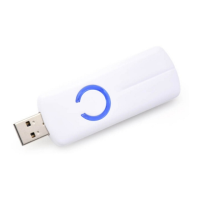
Plug the Z-Stick into the USB connector of the host,
the Z-Stick
will initiate SerialAPI-Mode, it
is always
listening (awake and always in RX receive mode) and acts as a Z-Wave adapter and responds to commands
sent through USB by the host processor software.
The list supported functions of SerialAPI:
SUPPORT_GET_ROUTING_TABLE_LINE
SUPPORT_LOCK_ROUTE_RESPONSE
SUPPORT_MEMORY_GET_BUFFER


 To Next Page
 Loading...