3
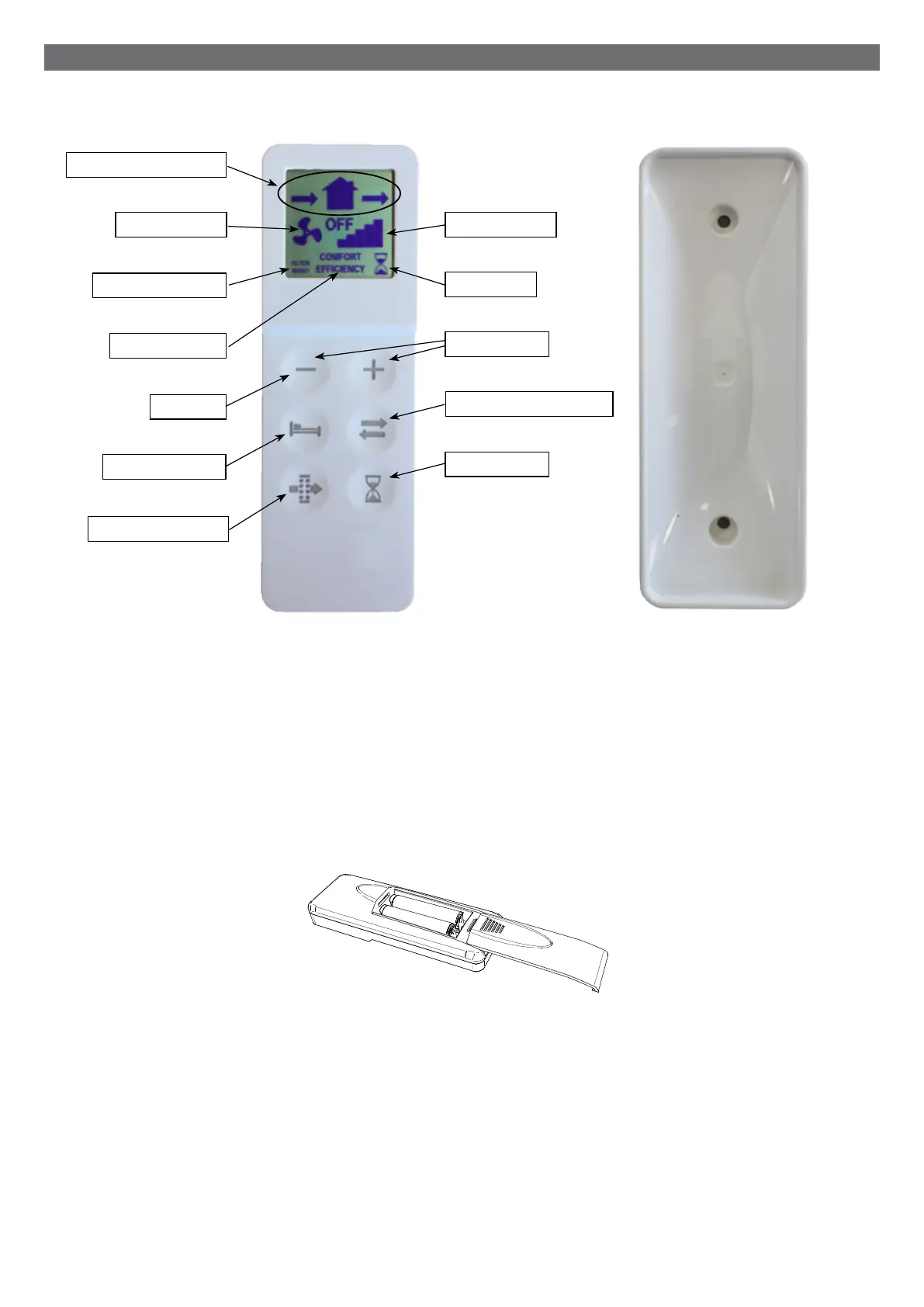
L'unità viene fornita con un telecomando a infrarossi (K) per la gestione remota delle funzionalità.
Indotazionevieneancheinclusal'appositabasedisupporto(L)chepuòancheesserefissataaparete.Iltelecomando
rimane attaccato alla base grazie ad un magnete.
IltelecomandoèprovvistodidisplayLCDperpotervisualizzareicomanditrasmessiall'unità:ogniqualvoltavienepremuto
unqualsiasitastotouch,lostatovisualizzatosuldisplayLCDvienetrasmessoall'unità.IlricevitoreIR(Jdiimmaginepag.2)
è posizionato sul lato sinistro dell'unità, verso il quale è opportuno direzionare il telecomando nel momento in cui si vuole
variare una funzione.
Ciascuntelecomandopuòcomandarepiùunità.
PerattivareiltelecomandoènecessarioinserireduebatterieditipoAAA(nonfornite).
FUNZIONAMENTO
TASTO RESET FILTRO
TASTO MODALITA’
ICONA MODALITA’
ICONA RESET FILTRO
ICONE DIREZIONE FLUSSO
ICONA VELOCITA’
ICONA BOOST
TASTI VELOCITA’
TASTO DIREZIONE FLUSSO
TASTO BOOST
K L
TELECOMANDO
external grille - installation
Ø5x40mm
5mm
cambio batterie telecomando
ICONA VELOCITA’
TASTO OFF


 To Next Page