17
STANDBY DISPLAY
During normal stand-by operation, the user interface displays the following information:
1. Detected ambient temperature
2. Time
3. Day of the week
4. To switch to the main page view, press anywhere on the touch screen, see the image below
The DI24 interface panel features a 2.4" resistive display and the application is characterised by various displays that accompany the
user in navigating the dierent menus.
DI24 DISPLAY MENU
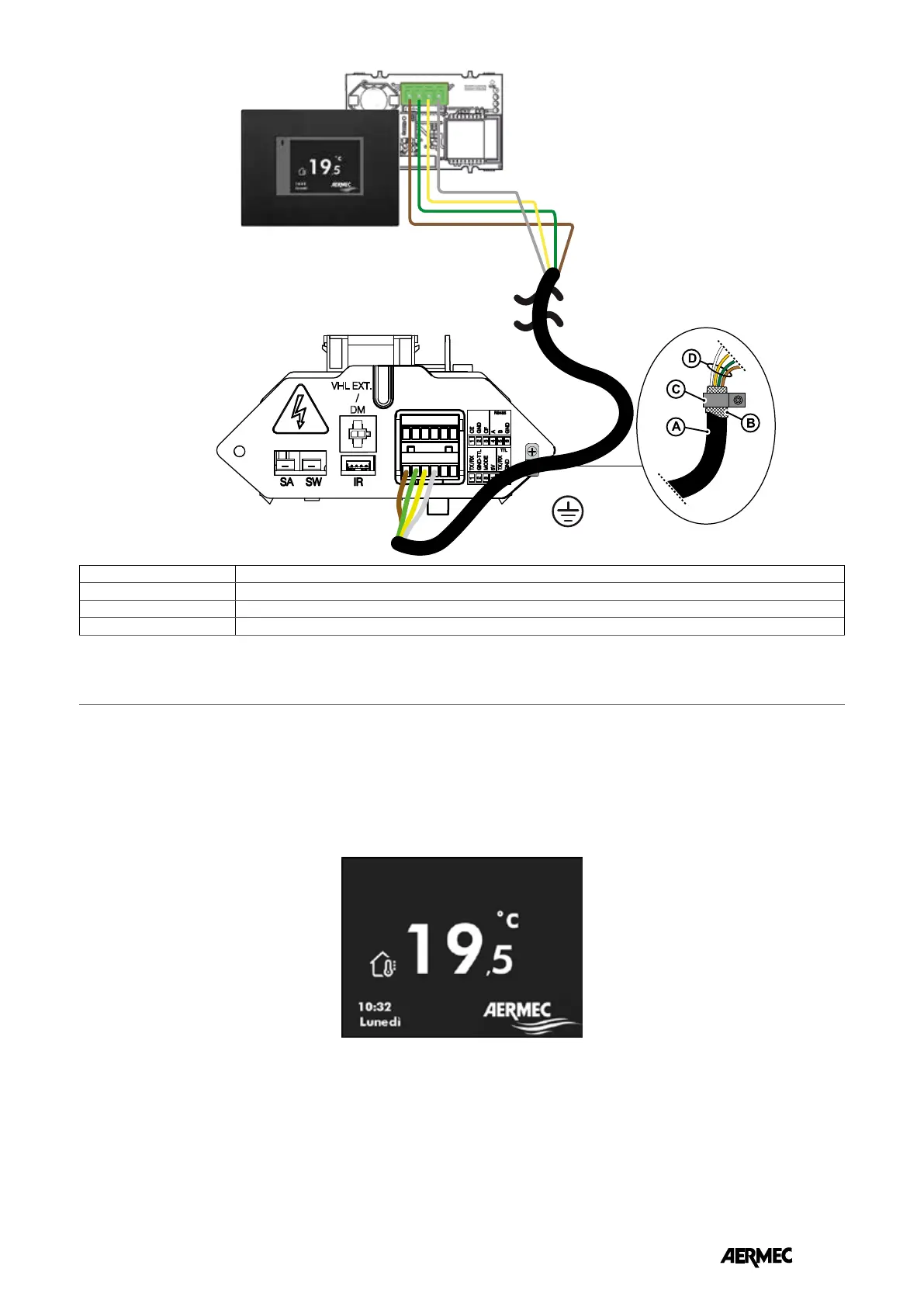
A 4-pole cable with shield
B Screen folded over cable
C Conductive material terminal
D Poles to be connected to the terminal board supplied with the dedicated cable (cod. 5152810)
EN



 To Next Page