18
1
2
3
4
7
8
9
11
10
Inattività dell’utilizzatore di almeno 30 secondi
Pressione in un punto qualsiasi dell’area del touch
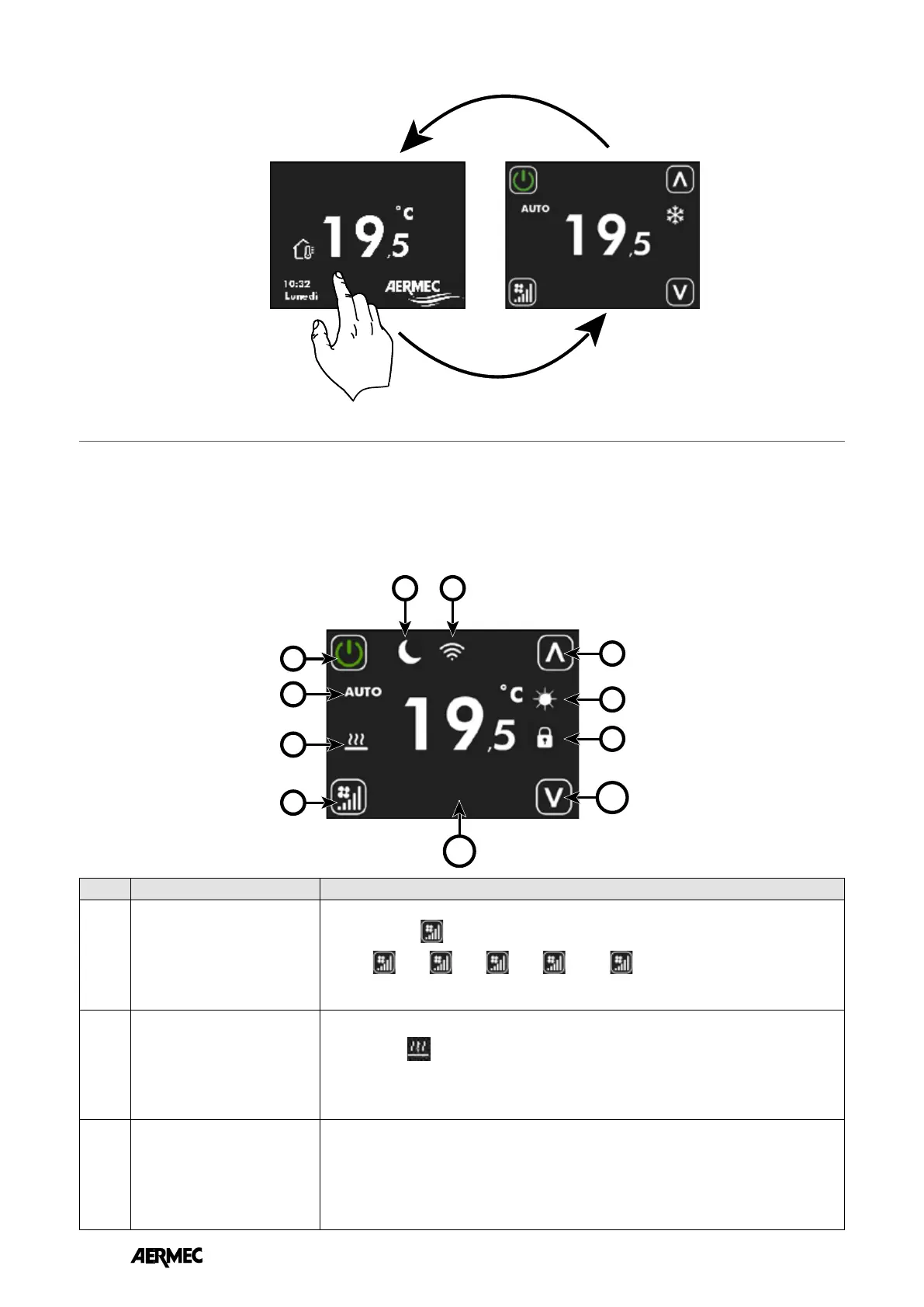
Index Name Description
1
Key to change the operating
mode
Each press of the
button changes the operating mode of the fan:
AUTO ➞
V1➞ V2➞ V3➞ AUX➞
↵
Attention: AUX mode will be selectable if parameter P9 = 1.
2
Thermostat request icon
When the icon
:
• is not present ➞ the thermostat is not in operating request
• is present ➞ the thermostat is in operating request
3
Fan operating mode string
• AUTO: the regulator automatically selects the fan speed in relation to the power required
by the thermostat
• V1: the regulator sets the fan speed at the power dened in FS1 (P5)
• V2: the regulator sets the fan speed at the power dened in FS2 (P6)
• V3: the regulator sets the fan speed at the power dened in FS3 (P7)
• AUX: the regulator enables any accessory present and adjusts the fan power in relation to
the type and operating state of the accessory
Within this display, it is possible to:
1. Check the operating state of the thermostat
2. Change the thermostat operating mode
3. Switch on/o/enable the thermostat time periods
4. Access the thermostat operating setpoint change page
5. Access the thermostat menu
6. Display the thermostat alarms
7. Associate and/or display the serial address via the auto-addressing procedure
DISPLAY THE PASSWORD PAGE
User inactivity of at least 30 seconds
Press anywhere on the touch screen area
EN



 To Next Page