20
1
2
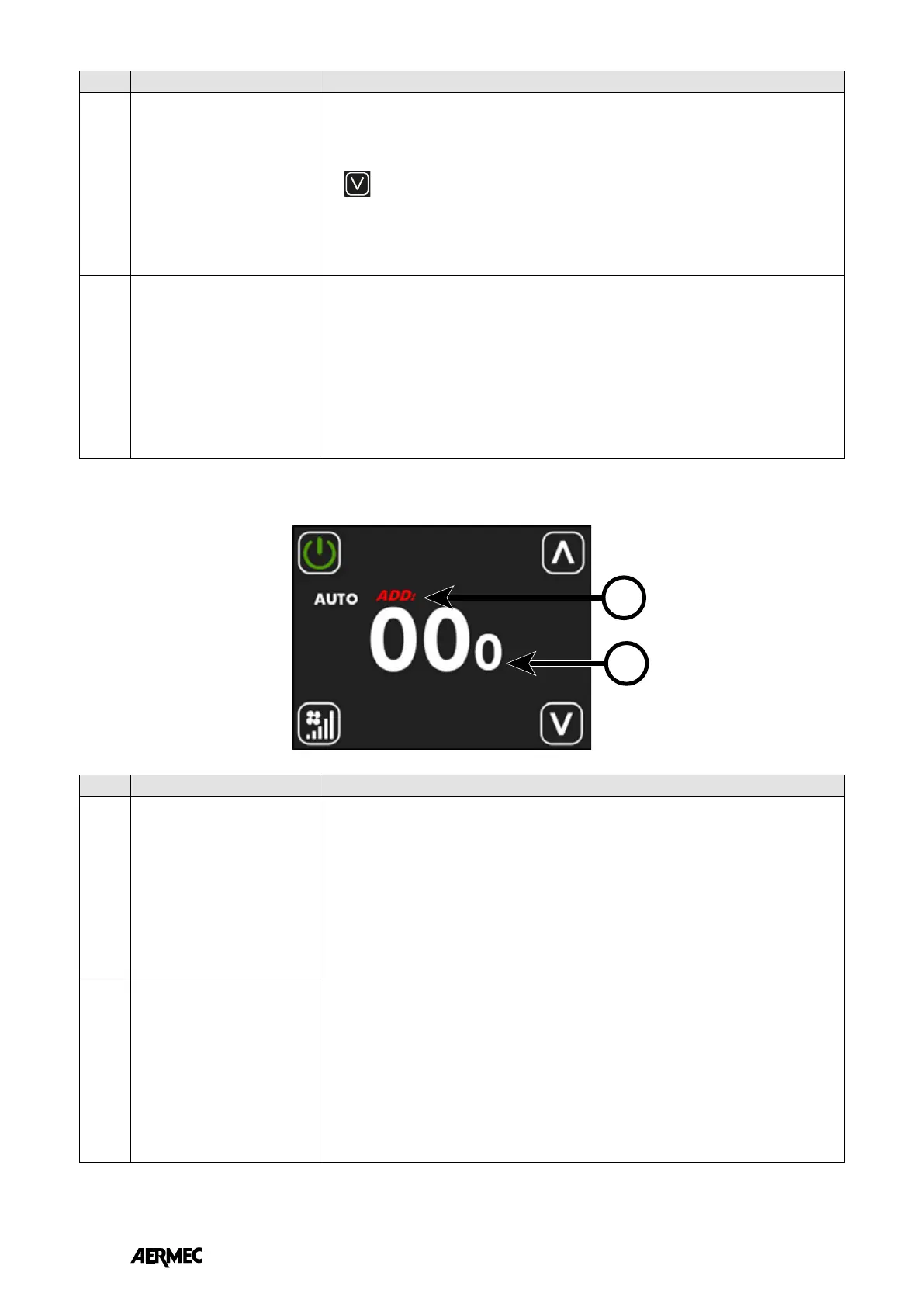
During the self-addressing procedure (or forcing the display of the serial address) of the thermostat, the user interface will be
characterised as follows:
Index Name Description
1
ADD string
The ADD string during the display or addressing procedure will appear intermittently in
red.
2
Serial address
The three digits in the centre of the screen will represent the serial address of the
thermostat.
The value 000 means that no address has yet been assigned to the thermostat.
Index Name Description
10
Decrease button
The
button can be used to decrease the setpoint or parameter values in the interface.
11
Alarm string
AL1 ➞ no communication between user interface and thermostat
AL2 ➞ fault inverter
AL3 ➞ faulty user interface air probe
EN



 To Next Page