21
Pagina selezione menù
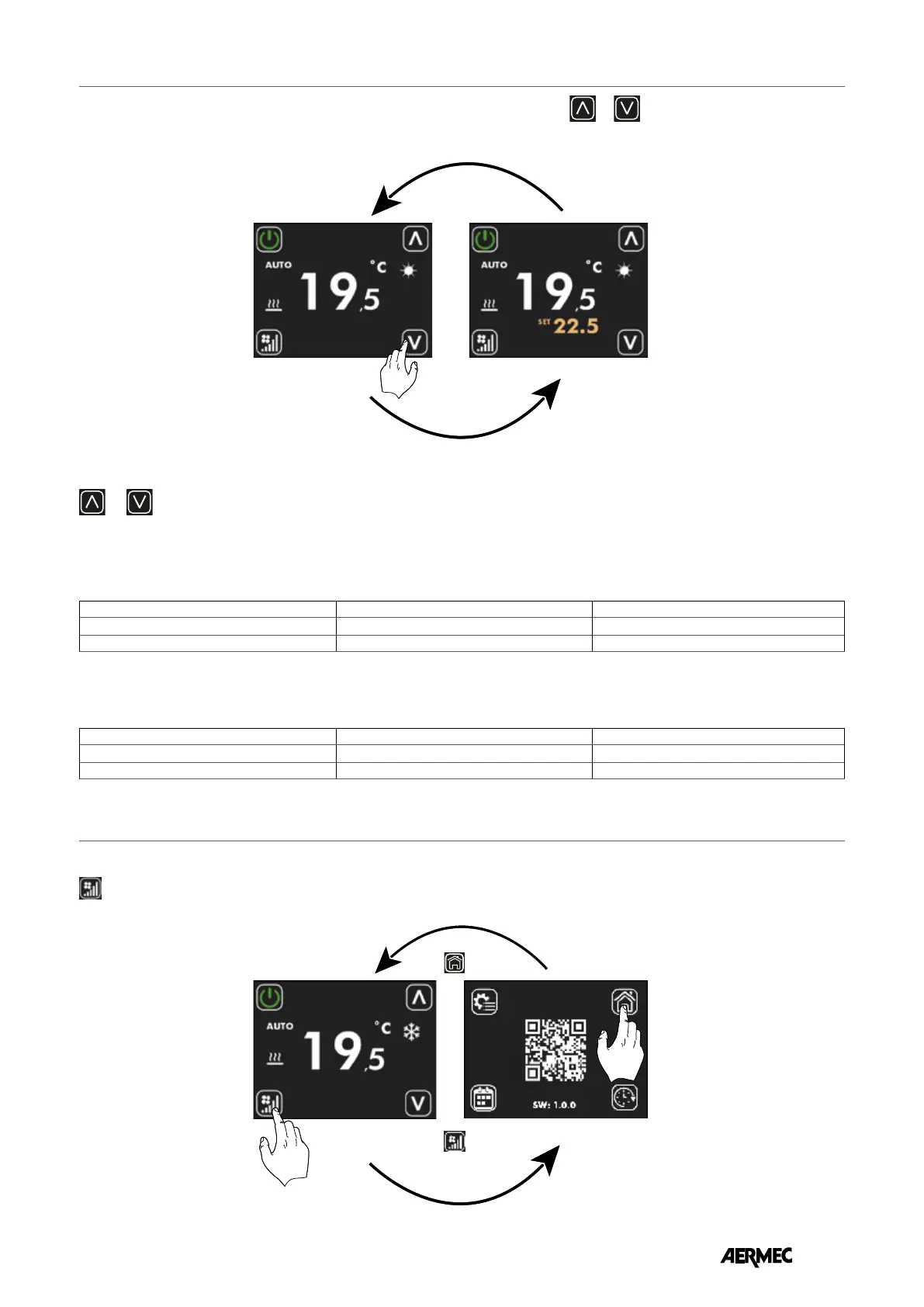
Pressione prolungata del tasto
per almeno 5 secondi
Pagina principale
Pressione del tasto
Inattività dell’utilizzatore di almeno 30 secondi
Pressione in un punto qualsiasi dell’area del touch
Pagina cambio set
Pressione del tasto
incrementa o
decrementa
Pagina principale
For the applications with a supervision system (BMS) or a system control system (VMF) the displayed set is not an absolute value but
a relative dierence from the data set by the centralised system:
The operating set ranges for “Stand Alone” and “Zone control” applications are:
To access the menu selection page, press and hold the following button for at least 5 seconds
(see image below).
On this page, the thermostat's operating setpoint can be changed using the buttons
or , the display of the operating set can be formalised as an absolute value or as a deviation from a set sent from the
supervisor. The display mode of this parameter can be selected via parameter P14.
To access the setpoint display and editing page, simply press one of the two buttons or from the main page.
DI24 DISPLAY MENU
DI24 DISPLAY MENU
Min. [°C] Max. [°C] Operating mode
17.0 33.0 Cold
12.0 28.0 Hot
User inactivity of at least 30 seconds
Pressing anywhere on the touch screen area
Main page
Set change page
Pressing the
increase or
decrease button
Pressing the key
Prolonged press for at least 5 seconds
Main page
Menu selection page
Min. [°C] Max. [°C] Operating mode
-6 +6 5 °C dead zone
-3 +3 2 °C dead zone
EN



 To Next Page