EasyManua.ls Logo

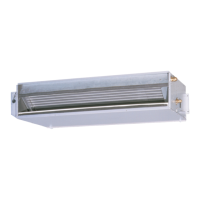
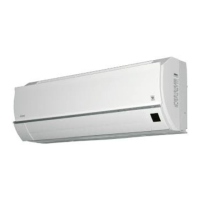
AERMEC XCI-MDIH Series - User Manual

AERMEC XCI-MDIH Series
28 pages
Print Icon
To Next Page IconTo Next Page
Loading...
MANUALE DI FUNZIONAMENTO
DIRECTIONS FOR USE
MANUEL DE FONCTIONNEMENT
BEDIENUNGSANLEITUNG
IEXCIHFX
0606
6794610_00P
EXCI
MDIH
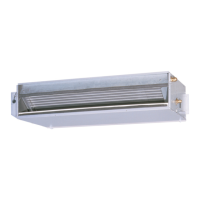
Unità interne per climatizzatore split e multisplit system pompa di calore con Inverter per instal-
lazioni canalizzate
ISO 9001 - Cert. n° 0128/4
A
Efficienza energetica
Question and Answer IconNeed help?

Do you have a question about the AERMEC XCI-MDIH Series and is the answer not in the manual?

Summary

REMARKS

Manual Preservation and Safety Guidelines

Guidance on storing the manual, paying attention to warnings, and contacting service for unlisted issues.

DESCRIPTION

Unit Overview and Malfunctions

Introduction to the unit and basic troubleshooting for malfunctions.

Important Operational Advice

Key information on safe usage, temperature settings, and air direction.

Normal Operation and Filter Care

Notes on normal unit behavior, filter maintenance, and room ventilation.

SAFETY SYMBOL

Electrical Hazard Warning

Symbol indicating danger from electrical voltage.

Moving Parts Hazard Warning

Symbol indicating danger from moving mechanical components.

General Danger Warning

Symbol indicating a critical general danger.

ADDITIONAL INFORMATION

Unit Features and Operation

Details on inverter technology, automatic adjustment, and energy efficiency.

Operation Limits and Conditions

Specifies voltage, control devices, and conditions affecting operation.

Power Failure and Compressor Delay

How the unit behaves during power outages and compressor restart.

Heating Operation Specifics

Information on fan delay, ice formation, and defrost cycles during heating.

Energy Saving Tips

Advice on optimizing energy consumption for efficient use.

INFRARED REMOTE CONTROL

Transmitter and Display Overview

Description of the remote control transmitter and its LCD display.

Remote Control Buttons and Functions

Detailed explanation of each button's function on the remote control.

USE OF THE REMOTE CONTROL

Remote Control Operation Guidelines

Instructions for directing the remote and signal reception.

Auto;Dehumidification Thermostat Settings

Bars indicate temperature variation relative to standard.

Operation Mode Indicator

Symbol indicates selected operation mode (auto, heating, cooling, dehumidification).

Set Temperature Indicator

Displays set temperature for heating or cooling modes.

Signal Transmission Indicator

Shows signal transmission when a button is pressed.

Full Power Mode Indicator

Indicates when the full power operation is selected.

Fan Speed Indicator

Shows selected fan speed (auto, high, medium, low).

Timed Start-Up Display

Displays current time or programmed start-up time.

Timed Shutdown Display

Displays programmed shutdown time or shutdown after 1 hour.

BATTERIES

Battery Installation and Replacement

Instructions for using and replacing remote control batteries.

SETTING CURRENT TIME

Time Setting Procedure

Steps to set the current time on the remote control in 12h or 24h format.

BASIC OPERATION

Selecting Operation Mode

How to choose between automatic, heating, cooling, or dehumidification modes.

Setting Temperature and Fan Speed

Adjusting room temperature and fan speed for desired comfort.

Automatic Operation Explained

How the unit automatically selects mode and temperature based on conditions.

TIMED START-UP

Programming Timed Start-Up

Steps to set a future start time for the unit.

Deactivating Timed Start-Up

How to cancel the programmed start-up function.

TIMED SHUTDOWN

Programming Timed Shutdown

Steps to set a future stop time for the unit.

Unit Operation with Timed Shutdown

How the unit adjusts temperature during timed shutdown.

Deactivating Timed Shutdown

How to cancel the programmed shutdown function.

COMBINED USE OF ON AND OFF TIMERS

Programming Combined Timers

Setting both start and stop times for automated operation.

ONE-HOUR OFF TIMER

Setting One-Hour Shutdown

How to set the unit to automatically turn off after one hour.

Deactivating One-Hour Timer

How to cancel the one-hour shutdown timer.

FULL POWER OPERATION

Activating Full Power Mode

How to use the unit for rapid cooling or heating.

Deactivating Full Power Mode

How to turn off the full power mode.

COMMAND EQUIPMENT

Remote Control Receiver Installation

Details on installing the flush-mounted IR receiver and its components.

Auxiliary Button Function

Using the AUX button for basic AUTO operation when remote is unavailable.

MAINTENANCE

General Maintenance Precautions

Safety advice before performing maintenance and cleaning instructions.

Air Filter Cleaning

Procedure and importance of regular air filter cleaning for efficiency.

IF THE AIR CONDITIONER DOES NOT WORK

Troubleshooting Cooling Issues

Checks for insufficient cooling performance, including filter and settings.

Remote Control Signal Issues

Steps to resolve problems with the remote control not responding.

Normal Operational Phenomena

Explanation of expected vapor, sounds, or smells during operation.

Summary

REMARKS

Manual Preservation and Safety Guidelines

Guidance on storing the manual, paying attention to warnings, and contacting service for unlisted issues.

DESCRIPTION

Unit Overview and Malfunctions

Introduction to the unit and basic troubleshooting for malfunctions.

Important Operational Advice

Key information on safe usage, temperature settings, and air direction.

Normal Operation and Filter Care

Notes on normal unit behavior, filter maintenance, and room ventilation.

SAFETY SYMBOL

Electrical Hazard Warning

Symbol indicating danger from electrical voltage.

Moving Parts Hazard Warning

Symbol indicating danger from moving mechanical components.

General Danger Warning

Symbol indicating a critical general danger.

ADDITIONAL INFORMATION

Unit Features and Operation

Details on inverter technology, automatic adjustment, and energy efficiency.

Operation Limits and Conditions

Specifies voltage, control devices, and conditions affecting operation.

Power Failure and Compressor Delay

How the unit behaves during power outages and compressor restart.

Heating Operation Specifics

Information on fan delay, ice formation, and defrost cycles during heating.

Energy Saving Tips

Advice on optimizing energy consumption for efficient use.

INFRARED REMOTE CONTROL

Transmitter and Display Overview

Description of the remote control transmitter and its LCD display.

Remote Control Buttons and Functions

Detailed explanation of each button's function on the remote control.

USE OF THE REMOTE CONTROL

Remote Control Operation Guidelines

Instructions for directing the remote and signal reception.

Auto;Dehumidification Thermostat Settings

Bars indicate temperature variation relative to standard.

Operation Mode Indicator

Symbol indicates selected operation mode (auto, heating, cooling, dehumidification).

Set Temperature Indicator

Displays set temperature for heating or cooling modes.

Signal Transmission Indicator

Shows signal transmission when a button is pressed.

Full Power Mode Indicator

Indicates when the full power operation is selected.

Fan Speed Indicator

Shows selected fan speed (auto, high, medium, low).

Timed Start-Up Display

Displays current time or programmed start-up time.

Timed Shutdown Display

Displays programmed shutdown time or shutdown after 1 hour.

BATTERIES

Battery Installation and Replacement

Instructions for using and replacing remote control batteries.

SETTING CURRENT TIME

Time Setting Procedure

Steps to set the current time on the remote control in 12h or 24h format.

BASIC OPERATION

Selecting Operation Mode

How to choose between automatic, heating, cooling, or dehumidification modes.

Setting Temperature and Fan Speed

Adjusting room temperature and fan speed for desired comfort.

Automatic Operation Explained

How the unit automatically selects mode and temperature based on conditions.

TIMED START-UP

Programming Timed Start-Up

Steps to set a future start time for the unit.

Deactivating Timed Start-Up

How to cancel the programmed start-up function.

TIMED SHUTDOWN

Programming Timed Shutdown

Steps to set a future stop time for the unit.

Unit Operation with Timed Shutdown

How the unit adjusts temperature during timed shutdown.

Deactivating Timed Shutdown

How to cancel the programmed shutdown function.

COMBINED USE OF ON AND OFF TIMERS

Programming Combined Timers

Setting both start and stop times for automated operation.

ONE-HOUR OFF TIMER

Setting One-Hour Shutdown

How to set the unit to automatically turn off after one hour.

Deactivating One-Hour Timer

How to cancel the one-hour shutdown timer.

FULL POWER OPERATION

Activating Full Power Mode

How to use the unit for rapid cooling or heating.

Deactivating Full Power Mode

How to turn off the full power mode.

COMMAND EQUIPMENT

Remote Control Receiver Installation

Details on installing the flush-mounted IR receiver and its components.

Auxiliary Button Function

Using the AUX button for basic AUTO operation when remote is unavailable.

MAINTENANCE

General Maintenance Precautions

Safety advice before performing maintenance and cleaning instructions.

Air Filter Cleaning

Procedure and importance of regular air filter cleaning for efficiency.

IF THE AIR CONDITIONER DOES NOT WORK

Troubleshooting Cooling Issues

Checks for insufficient cooling performance, including filter and settings.

Remote Control Signal Issues

Steps to resolve problems with the remote control not responding.

Normal Operational Phenomena

Explanation of expected vapor, sounds, or smells during operation.

AERMEC XCI-MDIH Series Specifications

General IconGeneral
BrandAERMEC
ModelXCI-MDIH Series
CategoryAir Conditioner
LanguageEnglish

Related product manuals