12
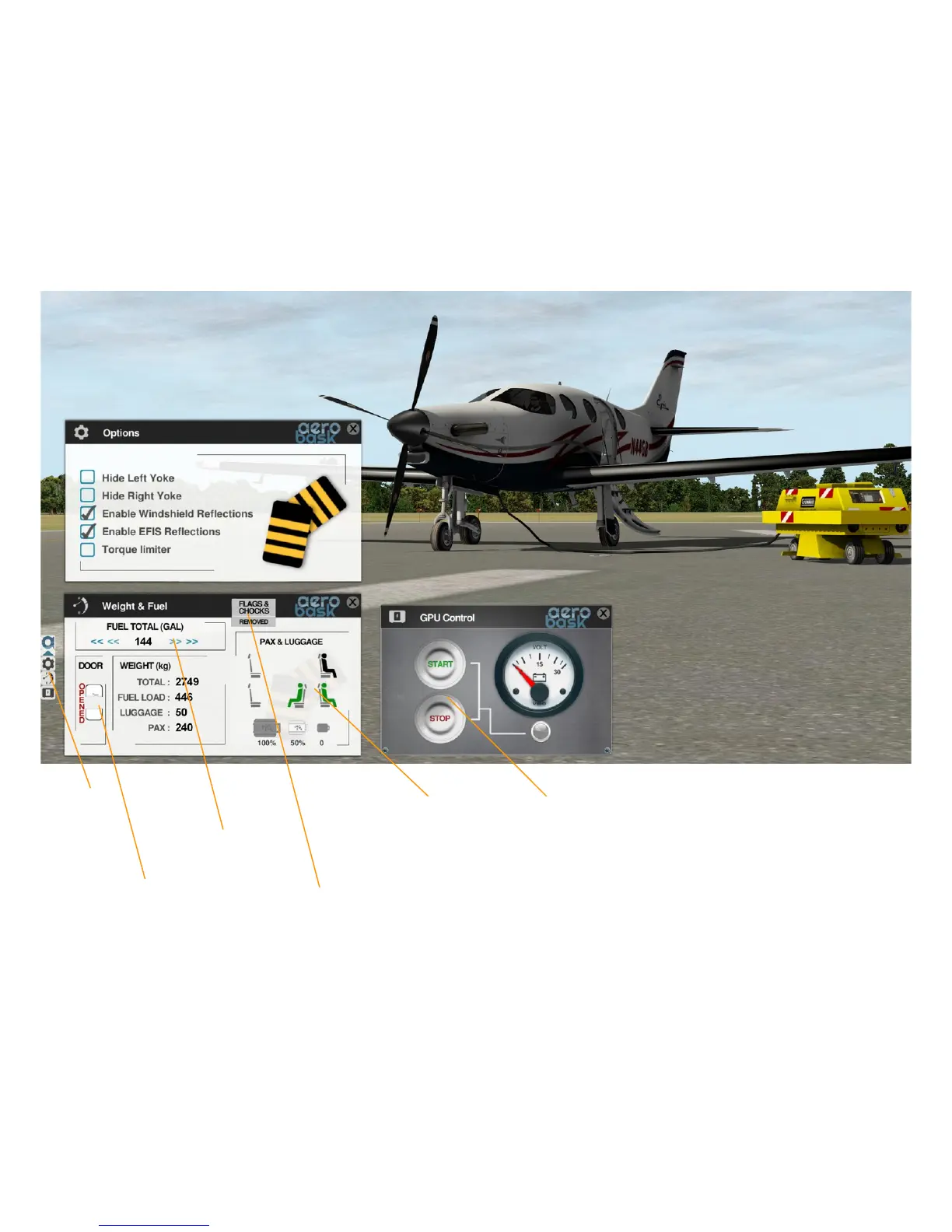
OPTION PANELS
The option panels allow you to hide or show yokes and
reflections, to set weight & fuel, and to start or stop a
ground power unit. To open the option panels, first click
the Aerobask logo on the left of the screen, then select
either “Options”, “Weight & Fuel”, or “GPU Control”.
Option
Page
Select
Start/Stop
GPU
Open/Close
aircraft door
Click each
seat to toogle
between
empty, adult,
or child. Click
one of the
bags to select
amount of
luggage.
Note that the
door has to be
open prior to
selecting.
Select amount
of fuel
Add/Remove
static
elements


 To Next Page