THE NEXT GENERATION
Thanks a lot for purchasing the newest and most
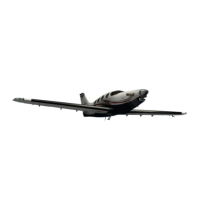
complex Aerobask product ever, the new Epic E1000
Skyview. First of all you will notice a high fidelity
simulation of the Dynon SkyView. No longer we are
confined to X-Plane's default instruments, but can offer
avionics which do the modern Epic aircraft justice! The
SkyView was completely custom-coded in SASL by
Lionel Zamouth and is going to be further enhanced in
future free updates.
The main features of the Aerobask Epic E1000 are:
●
High quality 3D model with high resolution textures
(4K), ambient occlusion, specular and normal
mapping
●
Realistic simulation of the Dynon SkyView – no
default instruments used, all custom-coded.
●
Fully functional virtual 3D cockpit, with a different
interior design based on the selected livery
●
Windshield with reflections, rain and ice
●
Configurable passengers and luggage
●
Many custom sounds: rolling, gear, flaps, canopy,
vocal alert, callout, …
●
3D surround engine sound
●
On behalf of Lionel Zamouth (Dynon SkyView
programming & SkyView manual), Jean-François Edange
(liveries) and Mario Donick (owner's manual) I wish you
lots of fun with our product!
TABLE OF CONTENTS
REQUIREMENTS & INSTALLATION 3
PART I: FEATURES 4
SPECIFICATIONS 5
THE DYNON SKYVIEW 6
POPUP PANELS 7
WEATHER EFFECTS & EQUIPMENT 8
PART II: INSTRUCTIONS 9
PANEL OVERVIEW 10
PEDESTAL 11
OPTION PANELS 12
MASTER SWITCHES 13
THE MVP50 EIS 14
THE GARMIN GNC255 RADIOS 15
THE S-TEC 5000 AUTOPILOT 16
SPECIAL FEATURES 17
FREQUENTLY ASKED QUESTIONS 18
Please note that the Dynon SkyView is described in its own
manual which you can find in the DOCUMENTS folder of
the aircraft.
2
Stephane Buon
Aerobask, director


 To Next Page