2-100 Subject to Export Control, see Cover Page for details.
2-5-4. MEASURING SWR (cont)
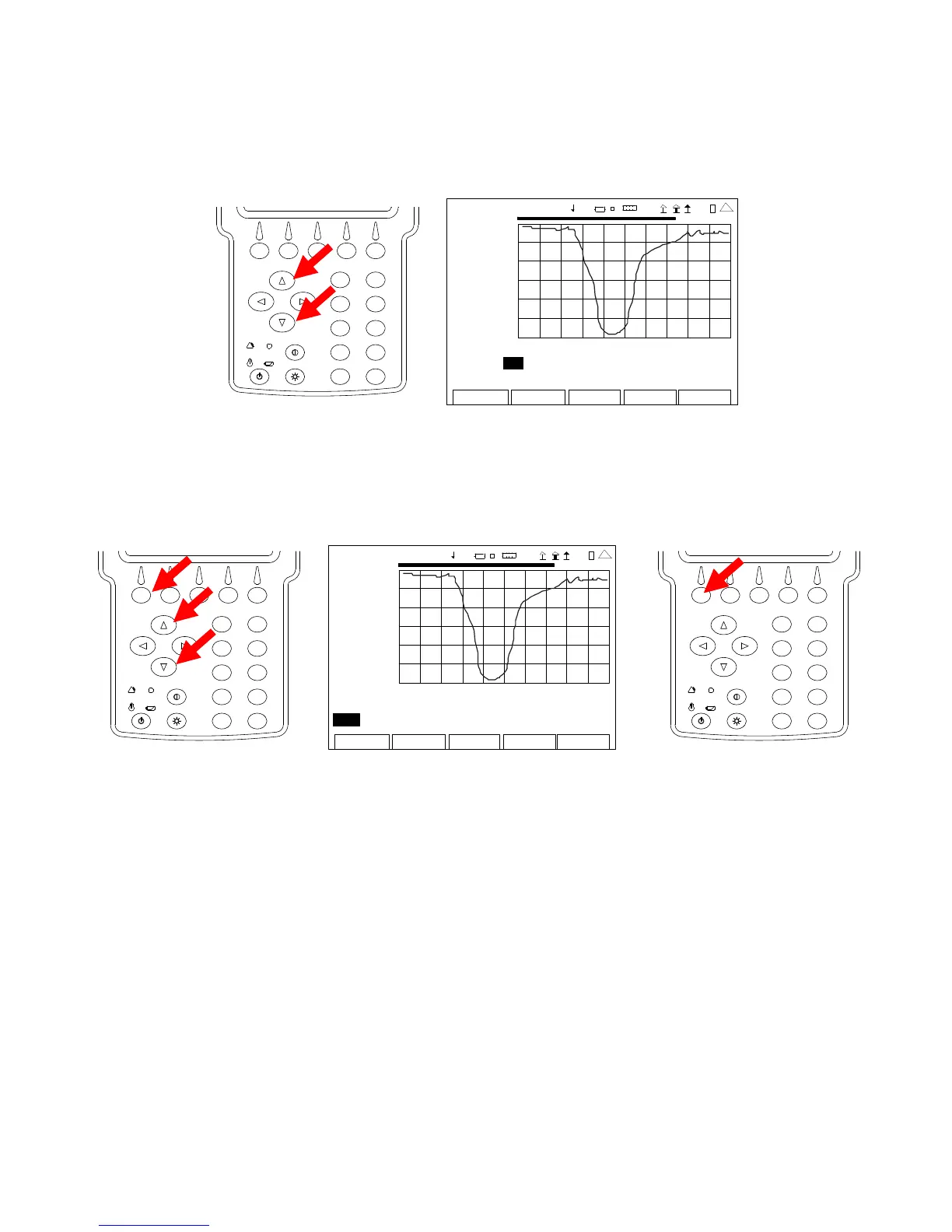
10. Move the cursor to the right and use the UP Key or DOWN Key to select On.
2
4
6
8
0
1
9
7
5
3
ANT-CABLE TEST
7.00
2009-01-06
11:35:30
SWR
1.00
35.0 MHz 45.0
Mar ke r : 1 On Del ta: 1 Po s: 0 .00 De lt a 0 .00
Mo ve Lef t R ight V SW R 0. 00 Del ta 0 .00
Edit
Return
Ho l d
Cal
Scale
4 1 20 29
11. With the cursor on the Move/Min/Max Field, press the F1 “Edit” Key and use the UP Key
or DOWN Key to select Move. Press the F1 “Done” Key to save the setting.
NOTE: Selecting “Move” positions the Marker to the next Data Point on the Graphical
Display.
2
4
6
8
0
1
9
7
5
3
ANT-CA BLE TEST
7.00
200 9-01 -06
11 :35 : 30
SWR
1.00
35.0 MHz 45.0
Marker: 1 Off Delta: 1 Pos: 0.00 Delta 0.00
Mo v e Left Right VSWR 0.00 Delta 0.00
Edit Return Ho l d Cal Scale
41 20 29
2
4
6
8
0
1
9
7
5
3













 To Next Page