2-106 Subject to Export Control, see Cover Page for details.
2-5-5. MEASURING DTF (Distance to Fault) (cont)
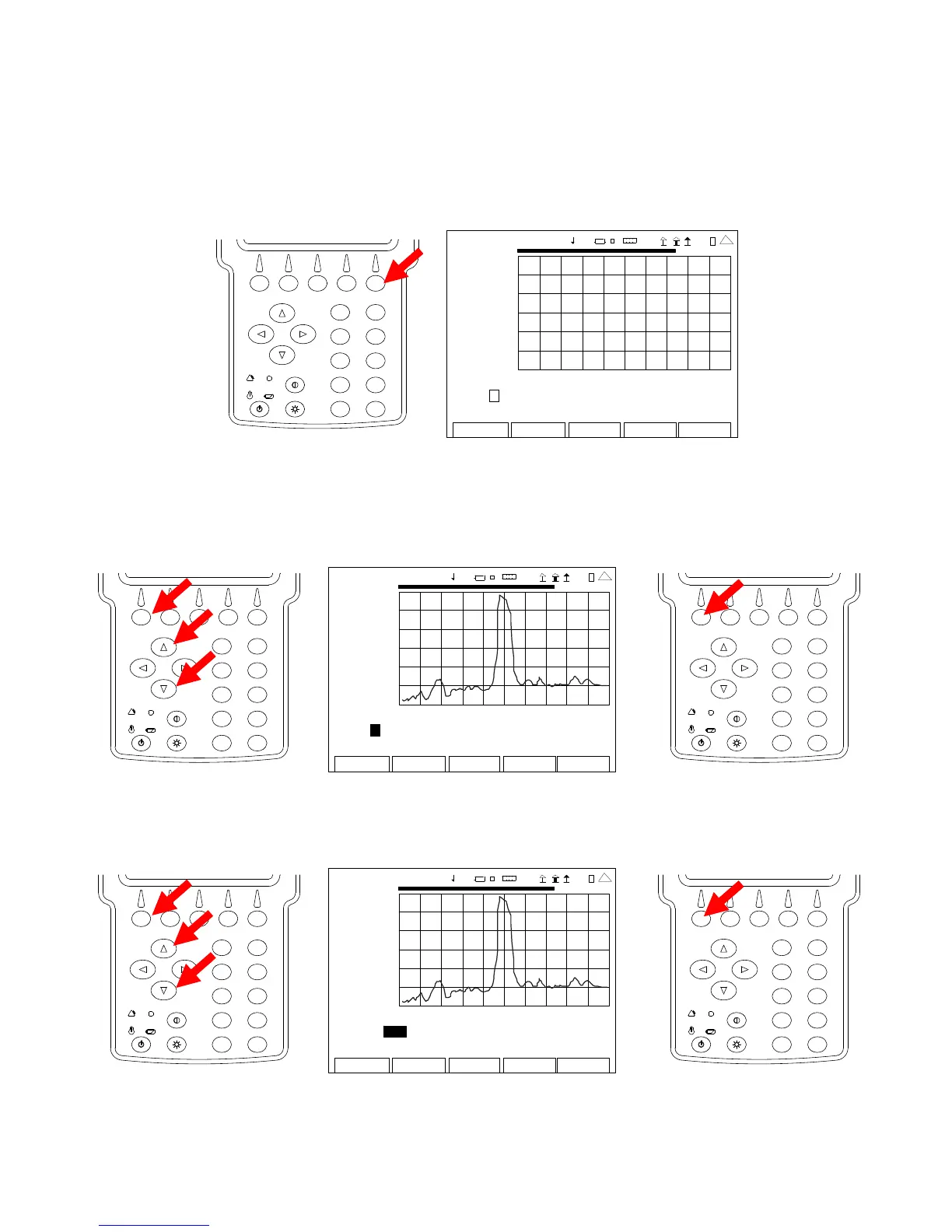
13. Press the F5 ”Scale” Key to display the ANT-Cable Test Screen in Scale Mode. Press the F5
”RF” Key to display the ANT-Cable Test Screen in RF Mode. Press the F5 ”Marker” Key to
display the ANT-Cable Test Screen in Marker Mode.
2
4
6
8
0
1
9
7
5
3
ANT-CABLE TEST
0.00
2009-01-06
11:35:30
dB
-50 .0
0.0 ft 408.8
Ma r ke r : 1 O f f Del ta: 1 Po s: 0 .00 De lt a 0 .00
Mo ve Lef t R ight dB 0 .00 De lt a 0 .00
Edit
Return
Ho l d
Cal
Cable
4 1 20 29
14. With the data displayed on the Graphical Display, the Markers are used to determine the
DTF at any point across the Graphical Display. With the cursor on the Marker Number Field,
use the UP Key or DOWN Key to select a Marker. Press the F1 “Done” Key to save the
setting.
2
4
6
8
0
1
9
7
5
3
AN
-CABL E TEST
0.00
200 9-01 -06
11 :35 : 30
dB
-50 .0
0.0 ft 408.8
Ma r ke r : 1 Off Delta: 1 Pos: 0.00 Delta 0.00
Move Left Right dB 0.00 Delta 0.00
Edit Return
Ho l
Cal
Cable
41 20 29
2
4
6
8
0
1
9
7
5
3
15. Move the cursor to the right, press the F1 “Edit” Key and use the UP Key or DOWN Key
to select On. Press the F1 “Done” Key to save the setting.
2
4
6
8
0
1
9
7
5
3
AN
-CABL E TEST
0.00
200 9-01 -06
11 :35 : 30
dB
-50 .0
0.0 ft 408.8
Marker: 1 On Del ta: 1 Po s: 0 .00 Delt a 0.00
Move Left Right dB 0.00 Delta 0.00
Edit Return
Ho l
Cal
Cable
41 20 29
2
4
6
8
0
1
9
7
5
3













 To Next Page