Subject to Export Control, see Cover Page for details. C-3
C-3-1. CONFIGURATION FOR ETHERNET (cont)
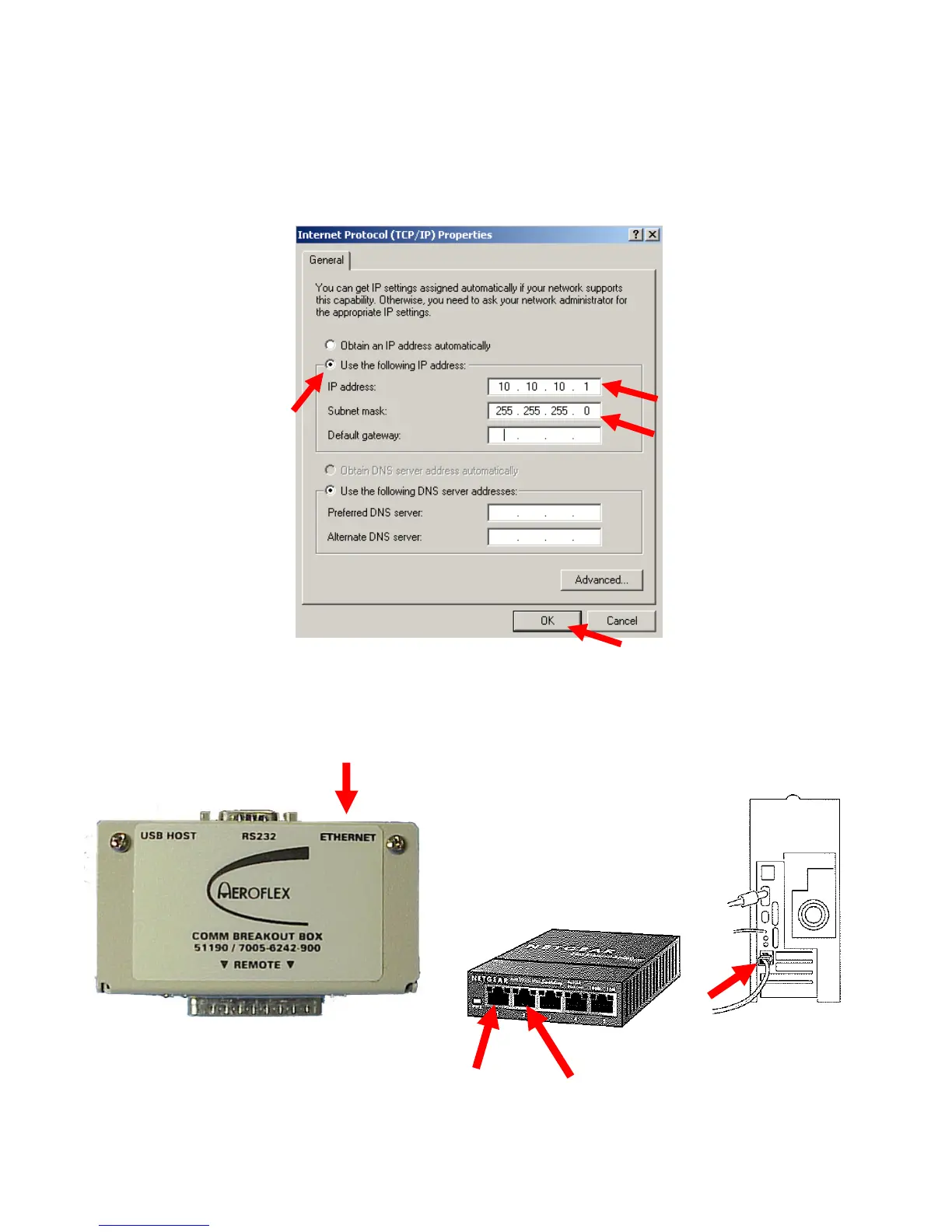
2. Select ‘Use the following IP address’ and set the IP Address to “ 10 10 10 1 ” and the
Subnet Mask to “ 255 255 255 0.” Select “OK.”
3. Connect one Ethernet Cable to the Fast Ethernet Switch (Connector 1) and to the Ethernet
Connector on the Breakout Box. Connect the other Ethernet Cable to the Fast Ethernet
Switch (Connector 2) and to the Ethernet Connector on the PC.
Ethernet Cable to Breakout Box on 3500 / 3500A
Ethernet Cable to PC













 To Next Page