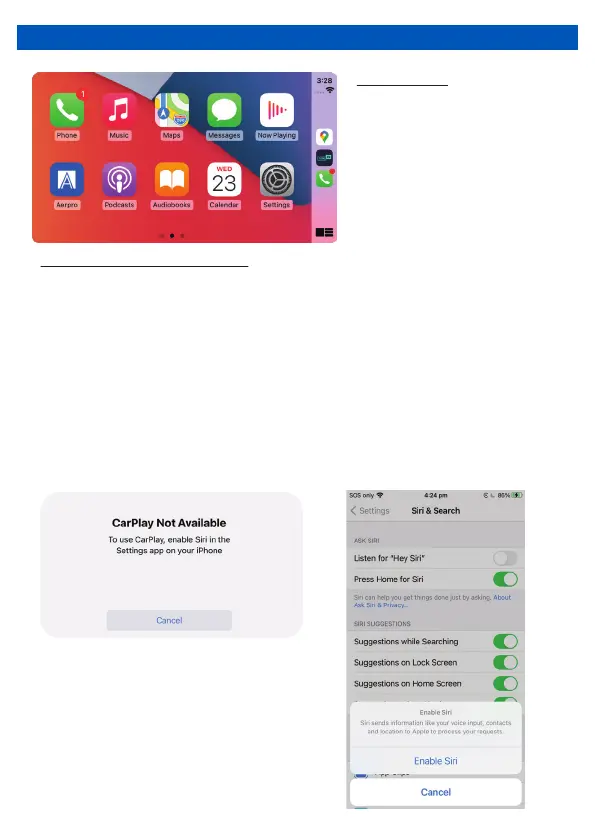
HOW TO USE CARPLAY ®
Phone Setup (Before you begin):
Requirements
1. Apple CarPlay ® features may operate differently than on your Apple iPhone ®
2. Message and data charges may apply when using Apple CarPlay. Please check with
your carrier
3. Apple CarPlay ® relies on the performance of your phone. If you experience
performance issues:
Close all apps and then restart them again
Disconnect and then reconnect your phone using the Apple Lightning cable that was
provided with your phone is recommended.
4. When Apple CarPlay ® is active, your voice recognition system is disabled and you will
be using Siri ® to make your requests
5. On your phone, go to Settings > General > Siri and ensure Siri is turned ON
• Lightning Data Cable
• iPhone 5 or later
• iPhone with iOS 7.1 or later
• Data Plan for in app content
• Siri activated
NOTE: For details about Apple CarPlay,
refer to the manual supplied with your
iPhone, or visit the website of Apple
CarPlay.
12


 To Next Page