
 Need help?
Do you have a question about the Aerpro AM9X and is the answer not in the manual?
Adjusts radio frequency by single step or seeking channels.
Switch between FM1, FM2, FM3 and AM1, AM2 bands.
Store and recall favorite radio stations using number buttons.
Control playback: previous/next track, fast rewind/forward.
Manage repeat, random mode, and track list.
Access music/video lists and file lists.
Enter pairing mode and use the keypad for Bluetooth connection.
Access phone book and phone interface for calls.
Manage auto connect, answer, sync, and gain settings.
View paired devices and manage connections.
Enable/disable Apple CarPlay, Android Auto, Bluetooth calling/music.
Remove paired devices or add new ones.
Adjust date, time, beep, reverse lines, and internal microphone.
Configure equalizer, time alignment, loudness, subwoofer, and reversing volume.
Adjust screen brightness and dimmer mode.
Access factory default, system version, SWC, and license.
Connect via USB for wired Apple CarPlay setup.
Connect wirelessly using Bluetooth and WiFi for Apple CarPlay.
Connect via USB for wired Android Auto setup.
Connect wirelessly using Bluetooth and WiFi for Android Auto.
Essential hardware and software for Apple CarPlay.
Prepare your iPhone for Apple CarPlay connectivity.
Use Siri for messages, calls, and POI lookups in CarPlay.
Use Google Voice for actions in Android Auto.
Necessary phone and Wi-Fi for Android Auto.
Prepare your Android phone for Android Auto connectivity.
Understand the Android Auto home screen layout and icons.
Resolve problems connecting Android phone wirelessly.
Troubleshoot mobile phone connection problems.
Understand park brake and GPS module necessity.
Diagnose issues related to the red blinking power light.
Follow safety guidelines for product use and cleaning.
Information for obtaining technical assistance and manual downloads.
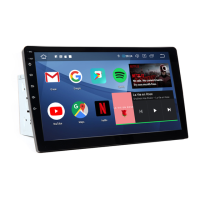
This document is a user manual for the Aerpro AM9X-AM10X Multimedia Receiver, a wireless Apple CarPlay and Android Auto compatible head unit.
The Aerpro AM9X-AM10X is a multimedia receiver designed for in-vehicle entertainment and connectivity. It offers wireless Apple CarPlay and Android Auto integration, allowing users to access smartphone features like navigation, music, and messaging directly from the head unit's display. The device includes a built-in radio tuner, Bluetooth connectivity for hands-free calling and music streaming, and media playback capabilities from USB sources. It also supports a reverse camera input for enhanced safety.
 General
| Brand | Aerpro |
|---|---|
| Model | AM9X |
| Category | Car Receiver |
| Language | English |

 To Next Page