SETUP MENU
Setting Options Functions
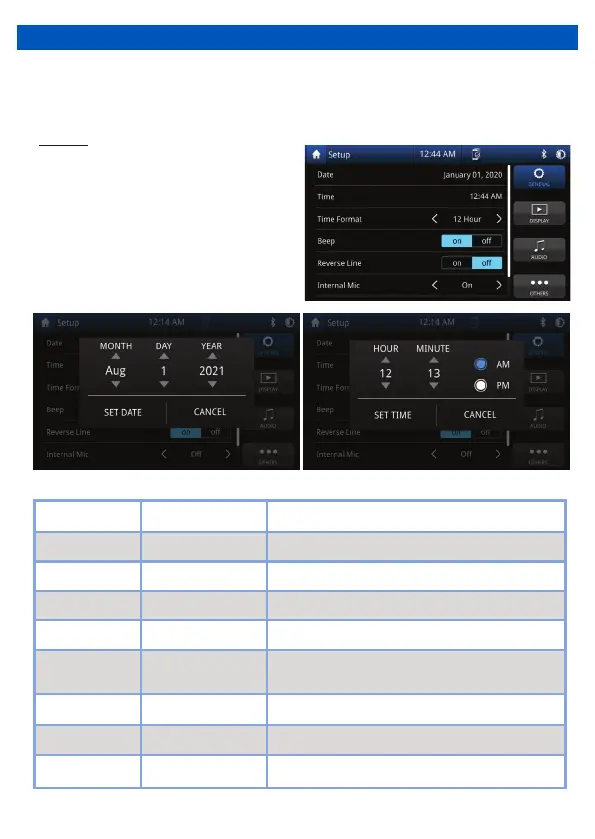
Date Day / Month / Year Select to adjust calendar date
Time Hour / Minutes
Time 12 Hour / 24 HourTime 12 Hour / 24 Hour
Select to adjust time
•
Setup menu allows you to change the settings within unit, General, Display, Audio and
Others
Touch “General” on the Setup Menu
display for general settings
General
On / OffRadio Region On / Off Select your radio region
Time Format 12 Hour / 24 Hour Choose clock mode 12H/24H
Beep On / Off Activation / Deactivation of touch screen beep
Reverse Lines On / Off
Internal Mic On / Off
Adds reversing lines to the reverse camera
On uses internal Mic / Off uses external Mic
On / OffRight hand Drive On / Off Changes indicator bar to left or right of display
7


 To Next Page