SETUP MENU
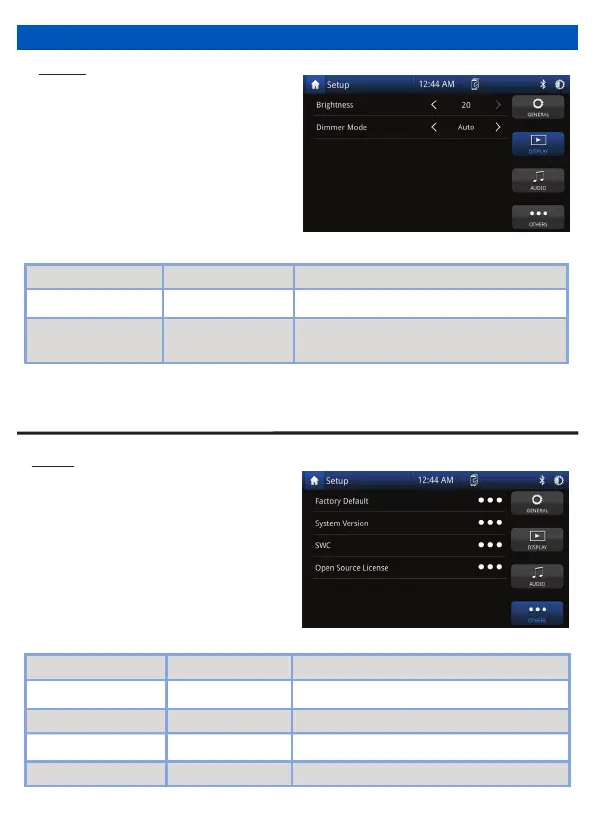
Others
Touch “Others” on the Setup Menu
display, then select for information and
factory reset.
Setting Options Functions
- Touch to manually adjust SWC functions
Version - Software version of the radio.
Steering Wheel Controls
Factory Default No / Yes Touch to return to the factory setting
Open Source License - Displays license information
Brightness 0 to 20 Touch the desired screen brightness
Touch the desired screen preset
(Auto changes brightness when headlights on*)
Display
•
•
Touch “Display” on the Setup Menu
display, then select a feature you want
to adjust.
System Version - Software version of the radio
9
* Requires an illumination wire to be present in the vehicle (Usually orange wire in ISO harness needs
to have a connection)


 To Next Page