AEV STARGATE
Futurcom Srl via della Tecnica 35, 40050 Argelato Bologna ITALY
25
the information set previously.
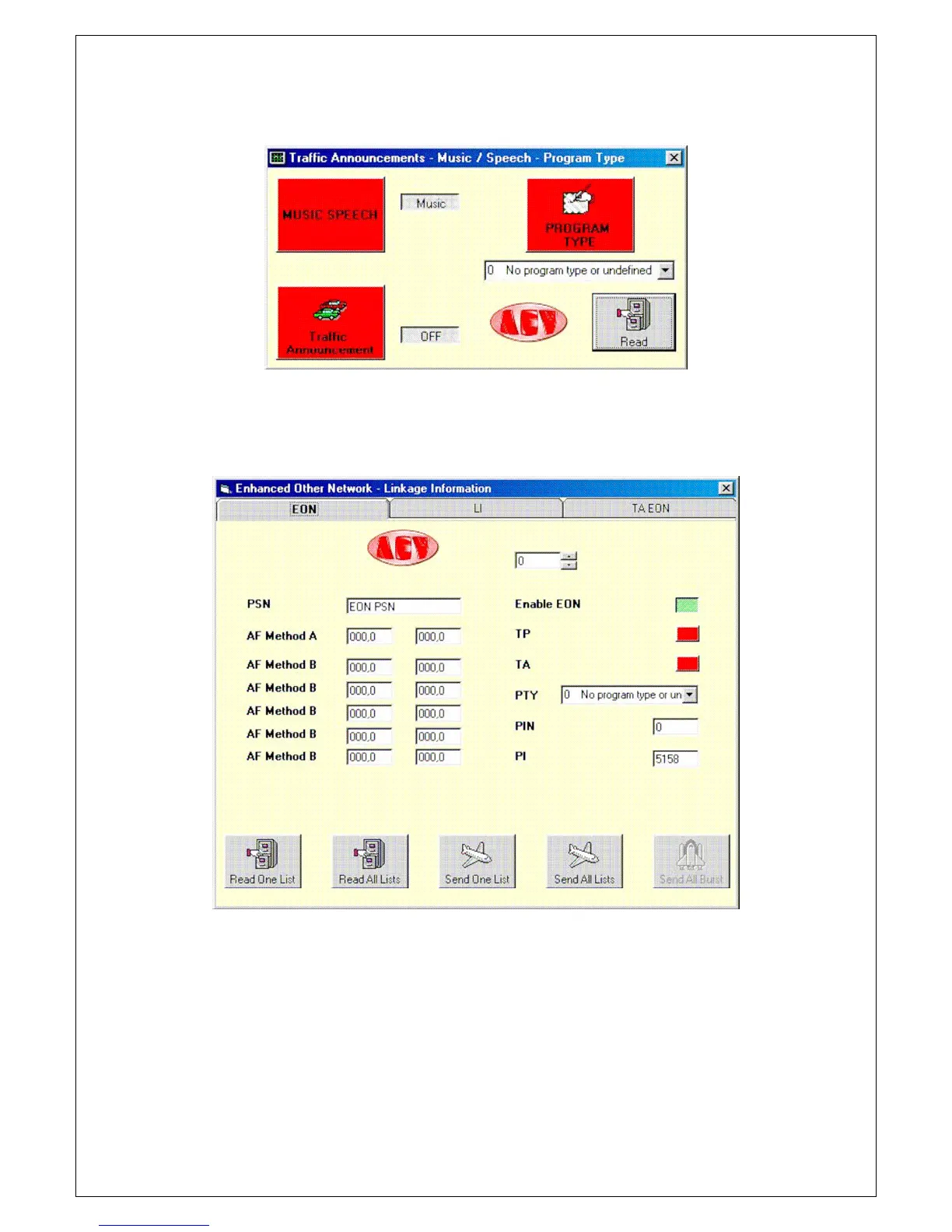
Let’s now see the “live” controls window.
.Press any one of the red push buttons to immediately transmit the functions in use to the
coder, with the exception of Program Type. To do this, make the selection using the combo
box and then press the relative push button. The Read option is enabled only in "via satellite"
mode.
Let’s now see the EON - LI - TA EON boards.
10 pages are offered to make the required settings.
Depending on the properties of the network, the parameters are entered, then in the same
manner as the other boards, the parameters are read or sent to the coder using the Read and
Send push buttons.
Let’s now see some examples to better explain how to make the settings.
Supposing we have radio MISS, which must make the setting with method A with radio JOY
and with radio SUN.
Radio JOY has PI 5155 and frequencies 102.0 and 106.5, radio SUN has PI 5159 and
frequencies 100.0 and 104.5.
Select page no. 0, enter the name of the first radio in the PSN box, in our case radio JOY (8
characters at the most can be entered in any event). Now enter the two frequencies in the
boxes at the side of AF Method A writing, in our case 102.0 and 106.5 in the second box.
Finally enter code 5155 in the PI box.
Let’s now program the second radio connected. Select page number 1, enter the name of


 To Next Page