6
in.k400
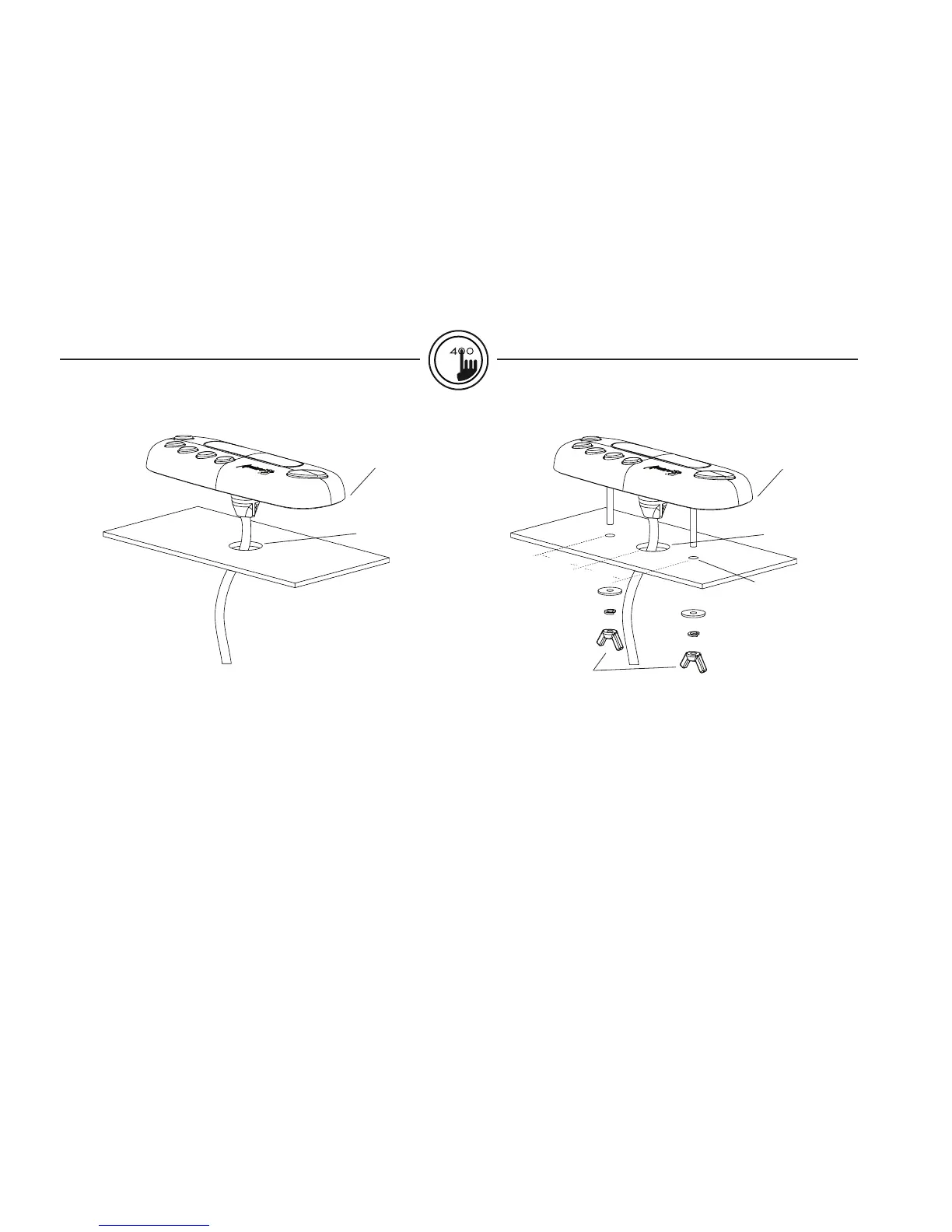
To install the in.k400, the user must cut out one 7/8" diameter hole
for the cable (see illustration).
Clean the installation surface and peel the adhesive gasket from the
back of the keypad.
Insert keypad and align it correctly, then ensure it's properly glued
by gently pressing evenly on the entire surface.
To install the in.k400, the user must cut out two 1/4" diameter
holes for the fixation studs and one 7/8" diameter hole for the
cable (see illustration).
Insert keypad and align it correctly, then secure it properly in place
by using the two wing nuts provided.
7/8"
Gasket with adhesive
Installation in.k400 with adhesive Installation in.k400 with brackets
1.60"
2 x 1/4"
7/8"
Gasket with or
without adhesive
Optional
wing nuts
1.50"
installation



 To Next Page