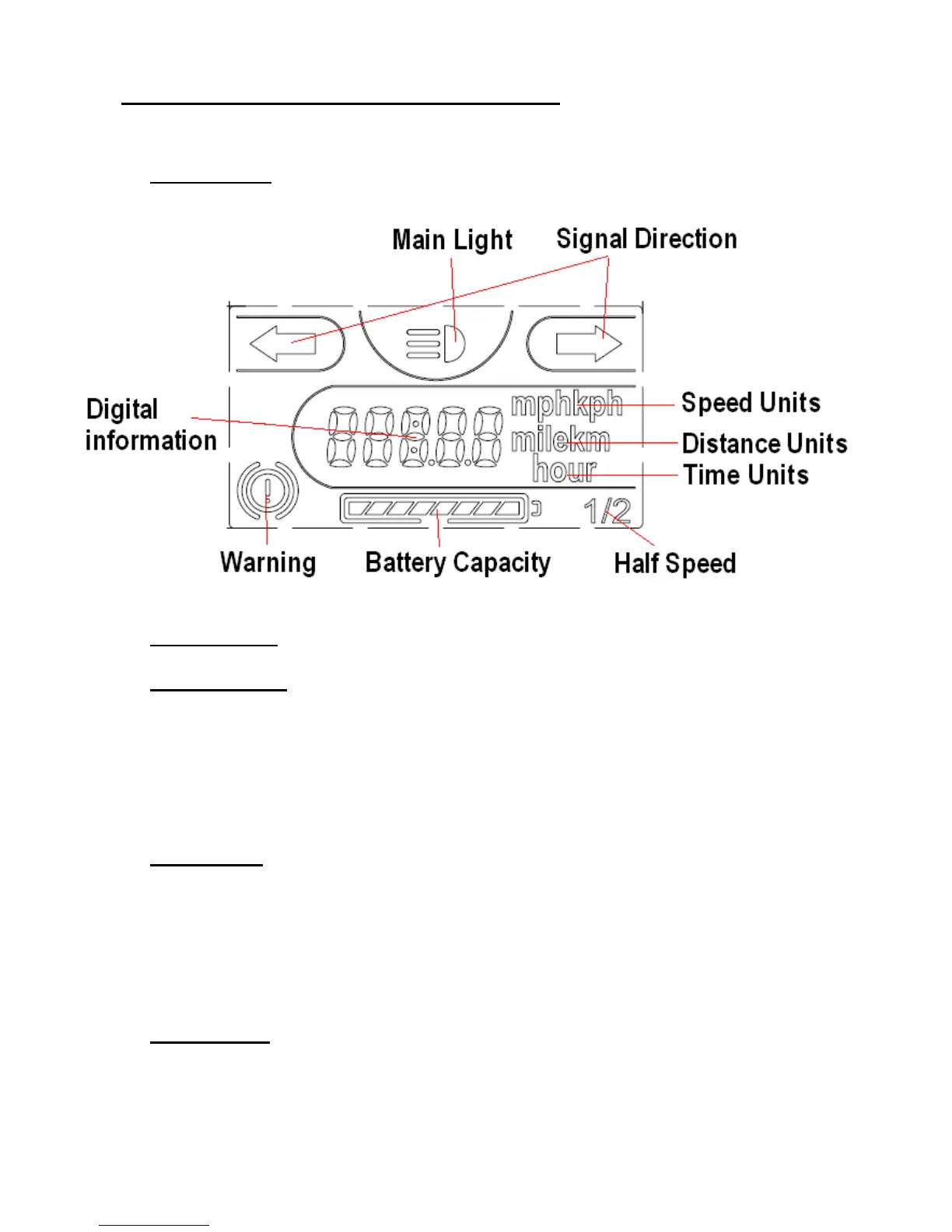
7. LCD Display Set Up and User Manual
a. LCD Display:
Push buttons:
b. Right – Mode : Use to change between different display modes and to
Reset the Distance and Time.
Every push - changes the display mode cyclic (Speed ,Trip Distance
,Trip Time , Clock). Return automatically to initial (Speed) after 5
seconds.
Long Push - (more than 7 seconds) when change Modes:
Trip Time : Reset Trip time.
Trip Distance : Reset Trip Distance.
Time : Enter to Clock setup.
c. Left- Setup : Use to adjust the clock.


 To Next Page