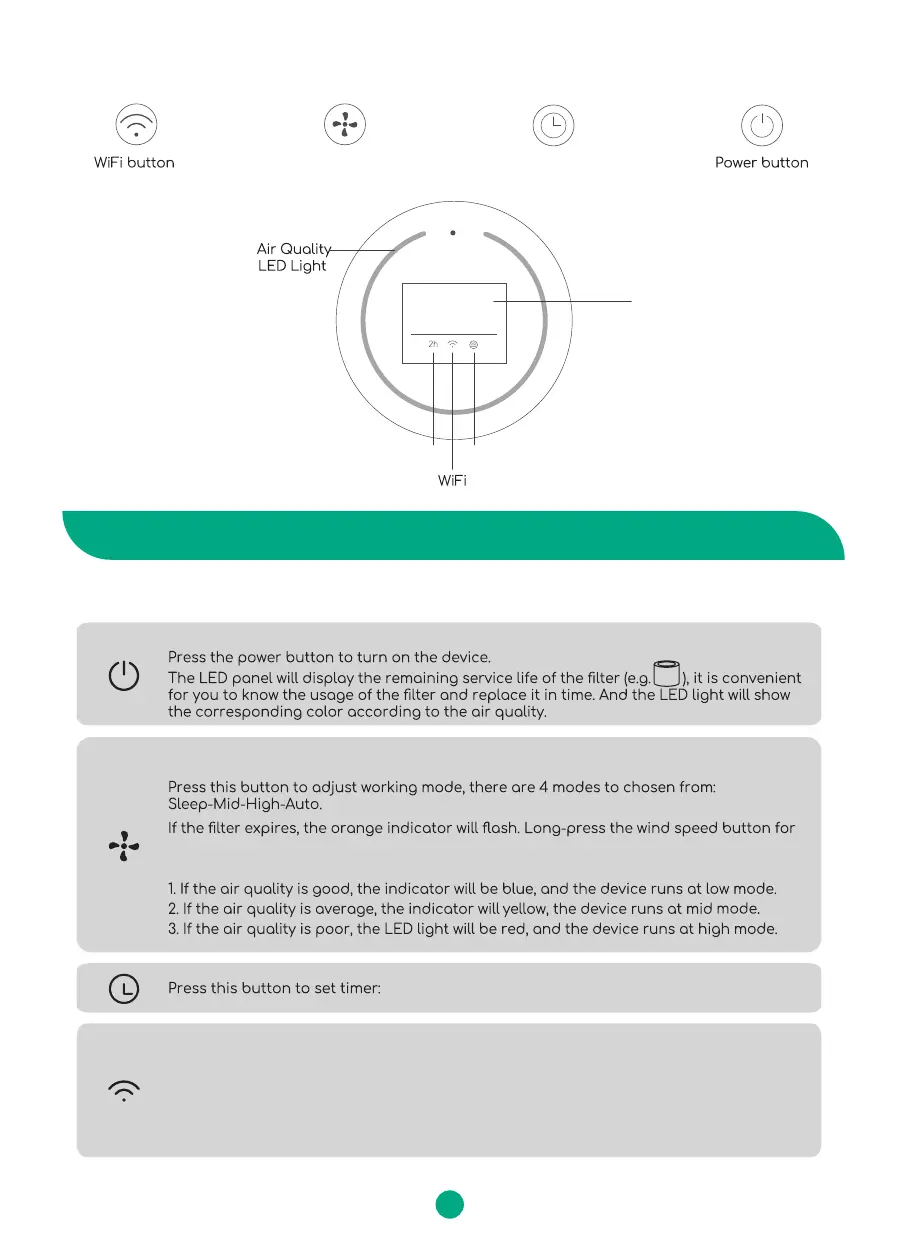
Timer button
Control Panel
PM2.5
display
Timer
Mode
068
Wind speed button Timer button
Wind speed button
5s to eliminate the expiration prompt.
Before starting, please ensure the filter is installed in place (refer to the 9th page of the manual)
Auto Mode:
WiFi button
INSTRUCTION
Power Button
Dierent flashing speeds represent dierent connection status:
96%
3
2H-4H-6H-8H-12H-24H
Long press this button for 5s to change the flashing speed of the indicator
WiFi indicator blinks quickly: WiFi of the device is on
WiFi indicator blinks slowly: WiFi and Bluetooth of the device are on
WiFi indicator always on: Connected successfully


 To Next Page