12 13
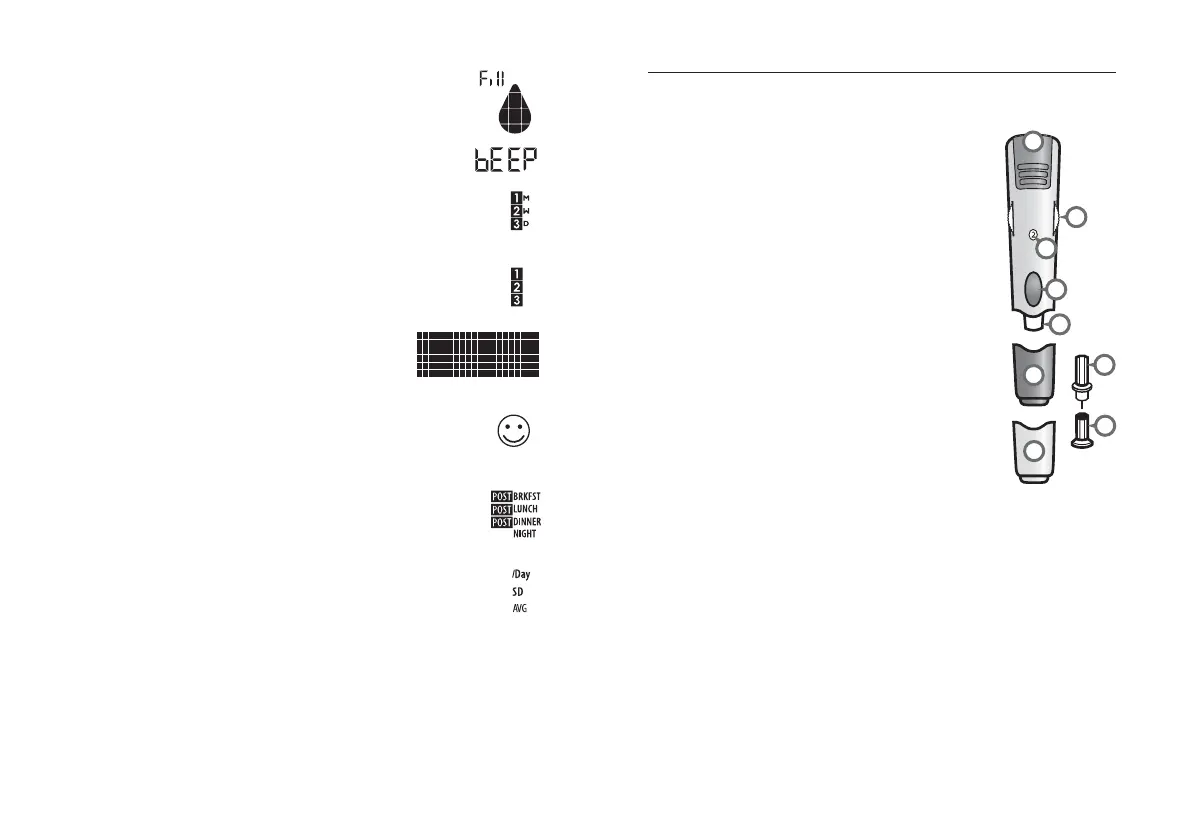
(9) Apply Sample to Test Strip message: The
flashing droplet symbol and the word “fill” will
signal you to apply a sample to the test strip.
(10) Volume Message: Can be set to ON or OFF.
(11) 1 Month, 2 Week, 3 Day Indicators: The
appropriate number of days will appear when viewing
graphical averages.
(12) 1,2,3 Countdown: The 1, 2 and 3 symbols will
appear during a glucose test.
(13) Graphing Area: Areas of the dot
matrix will appear during a test and when
displaying graphs.
(14) Happy Face Symbol: The happy face is displayed
with glucose test results that fall within specific pre and
post meal target ranges.
(15) Mealtime Tags: The mealtime tags appear after
a test is complete and will help categorize your results.
(16) /Day, SD, and AVG Symbols: These symbols
appear in the meter’s data management functions.
About the AgaMatrix Lancing System
(1) Cocking Handle: Cocks the device so it
is ready to lance.
(2) Depth Adjustment Dial: Adjusts how
deep the lancet will lance the skin.
(3) Depth Indicator Window: Displays
the depth setting of the lancing device.
(4) Release Button: Fires the lancet.
(5) Lancet: Lances the skin to produce a
drop of blood.
(6) Lancet Cover: Covers the lancet for
safety.
(7) Lancing Device Cap: Covers the lancet
when in lancing device.
(8) Alternate Site Testing Cap: An AST
clear lancing device cap used for obtaining
a blood sample on the palm (at the base of
the thumb) or forearm.
(9) Lancet Holder Cup: Holds the lancet
into place inside the lancing device.
2
1
3
4
8
7
5
6
9



 To Next Page