24
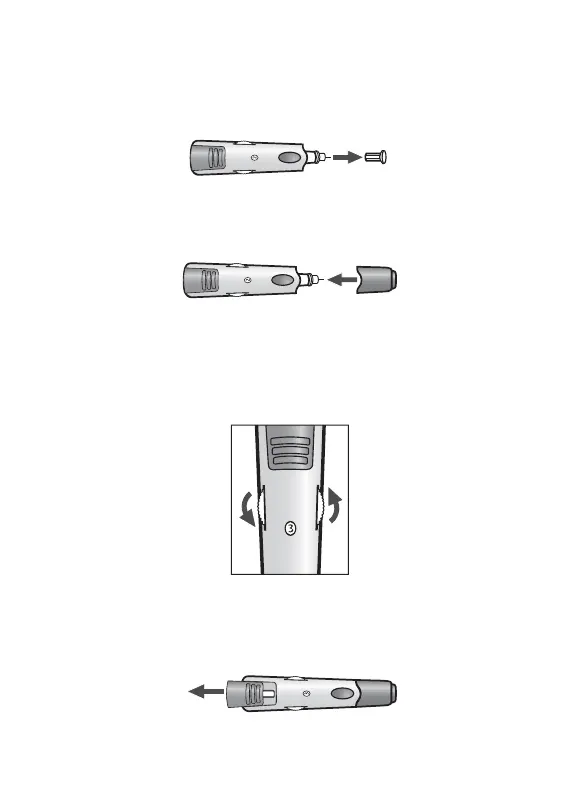
Twist the Lancet Cover O : Hold the lancet firmly in place
with one hand and use your other hand to twist off the lancet
cover. Do not discard the lancet cover. It should be used when
discarding your used lancet.
Replace Lancing Device Cap: Replace the lancing device cap
until it snaps into place. Be careful not to touch the exposed
needle on the lancet.
Set the Lancing Level: The lancing device offers 8 depth set-
tings. Rotate the dial to the desired setting as shown in the
depth indicator window. Level 1 is the most shallow; level 8
is the deepest. If you have never lanced before, it is recom-
mended that you start at level 3.
Cock the Handle: Pull the cocking handle out until it clicks.
You may have already cocked the handle accidentally while
inserting the lancet; this is OK. The lancing device is now
ready for use.



 To Next Page