6
How to use your Agatec RL110
Horizontal Setup
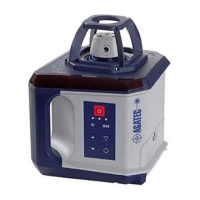
The laser can be mounted on a 5/8"-11 tripod or placed directly on a
solid, stable surface. Agatec RL110 can be suspended from a ceiling
grid using the wall mount.
Vertical Setup
The laser can be placed directly on its back (opposite the handle) on a
solid, stable surface. For more stability, it is recommended to use the wall
mount.
Turning on the laser
Turn on the laser with the On/Off key {B-1}. It does a self-test and the
beam blinks while the laser is self- leveling. After it is leveled, the head
rotates. You can choose H.I. Alert mode or change to manual mode (see
later sections).
The laser has a wide self-leveling range; however, if the laser is set up out
of the leveling range, the laser beam will continue to blink and the
rotation will not start.
LED indication
The LED indicator {B-9} slowly blinks green and red while the axes
are leveling and stays on when both axis has reached a level position.
Button Functions
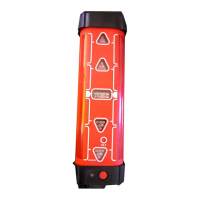
The UP/DOWN buttons on the laser and the remote control buttons have
multiple functions depending on the mode of operation. Please refer to the
chart below to better understand their functionality.
Basic Operation


 To Next Page