Chapter 3: Placing Originals 39
2
Put the batch slide holder with the originals in the batch slide holder frame with the Agfa logo
at the top.
3
Insert the batch slide holder frame in the scanner.
" Note: Before you put the batch slide holder frame in your scanner, close the TPU and
remove the glass plate from the scanner.
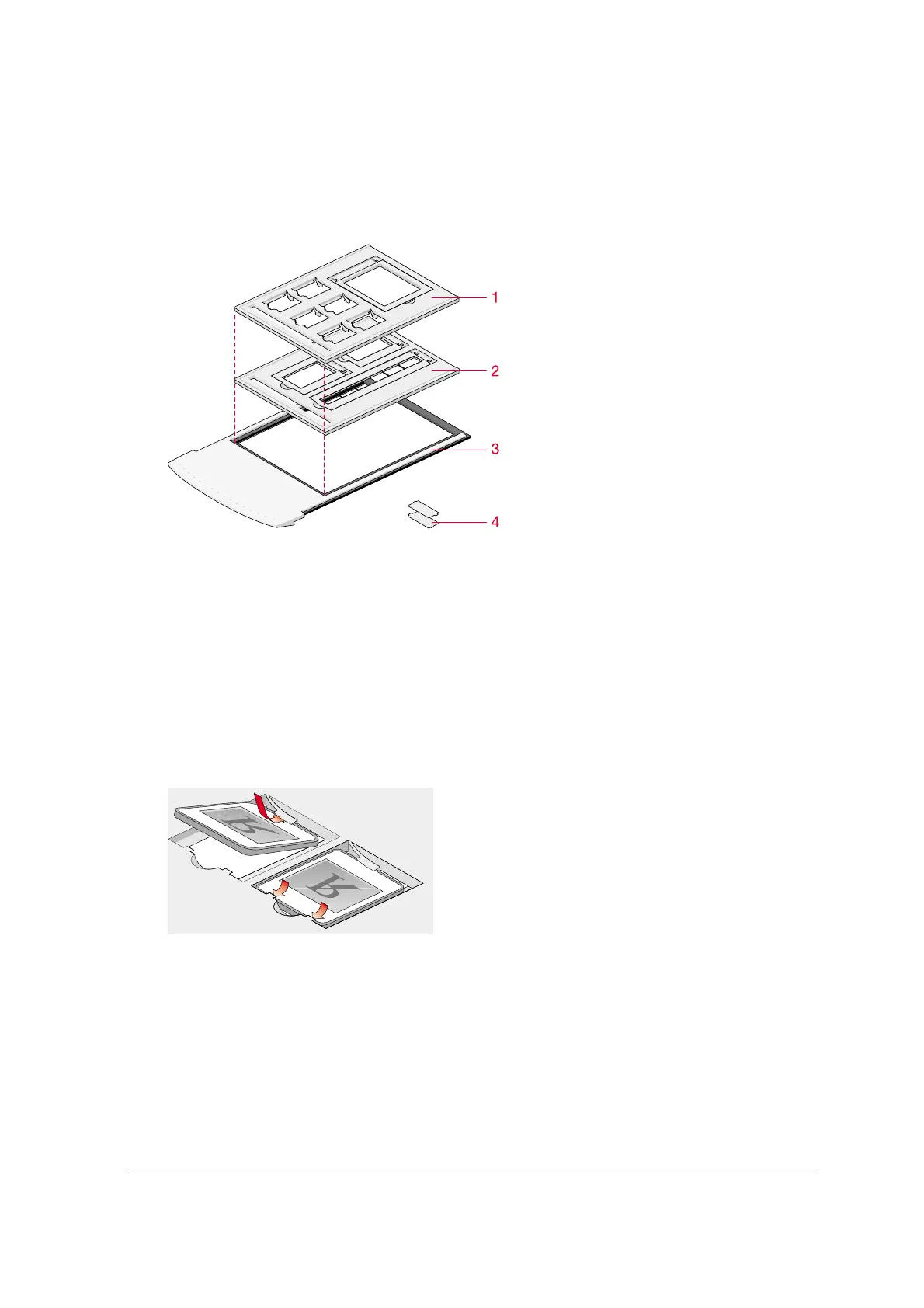
1.
35 mm framed and 4 x 5 inch batch slide holder
2.
35 mm strip and 6 x 9cm batch slide holder
3.
batch slide holder frame
4.
small plastic holder to make 6 x 9 cm universal (6 x 7 cm or 6 x 6 cm)
35 mm framed (6) and 4 x 5 inch (1) batch slide holder
This holder can hold a maximum of 7 slides at the time. Once loaded it is mounted into the batch
slide holder frame.
1
Put your original face down in the 35 mm framed or 4 x 5 inch batch slide holder.
2
Put the batch slide holder into the batch slide holder frame with the Agfa logo at the top.
3
Put the batch slide holder frame into the scanner.



 To Next Page