Chapter 3: Placing Originals 40
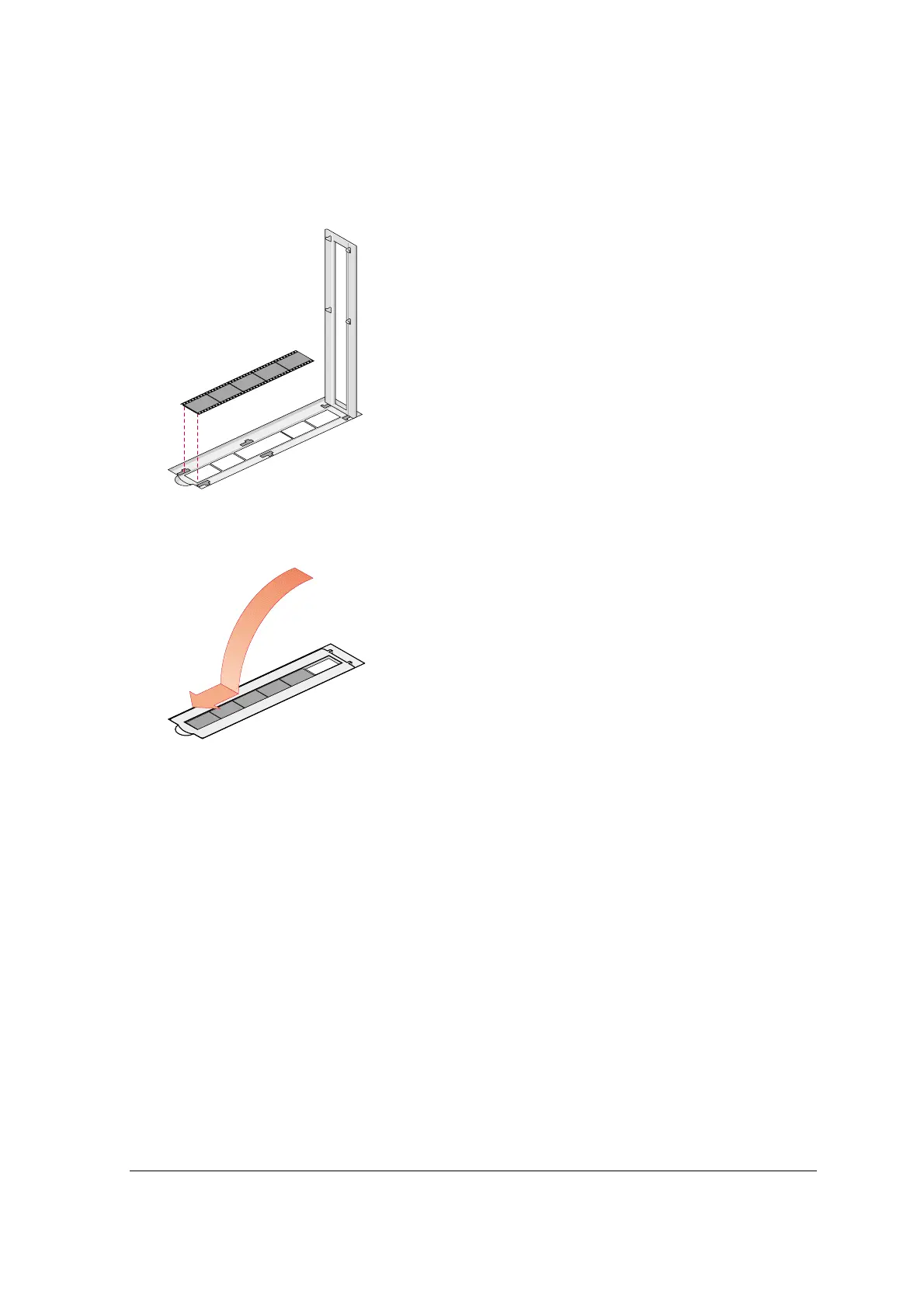
35 mm strip (1) and 6 x 9 cm (2) batch slide holder
One strip of maximum 6 negatives and 2 slides can be mounted into the holder which is then
mounted into the batch slide holder frame.
1
Put your strip with the originals or your slides face down in the batch slide holder.
P Q R S Z
2
Close the lid and slide it sideways.
Your originals are correctly positioned for scanning.
3
Put the batch slide holder into the batch slide holder frame with the Agfa logo at the top.
4
Put the batch slide holder frame into the scanner.



 To Next Page