20
4450A EN 20060221Introducing the CR 85-X
CR 85-X DIGITIZER
If the system has been idle for 5 minutes, the backlit LCD display dims. The
display lightens if:
• The display message changes, e.g. if the Digitizer receives a message from
the image processing station.
• You place a cassette in the input buffer.
• You press a key on the keypad.
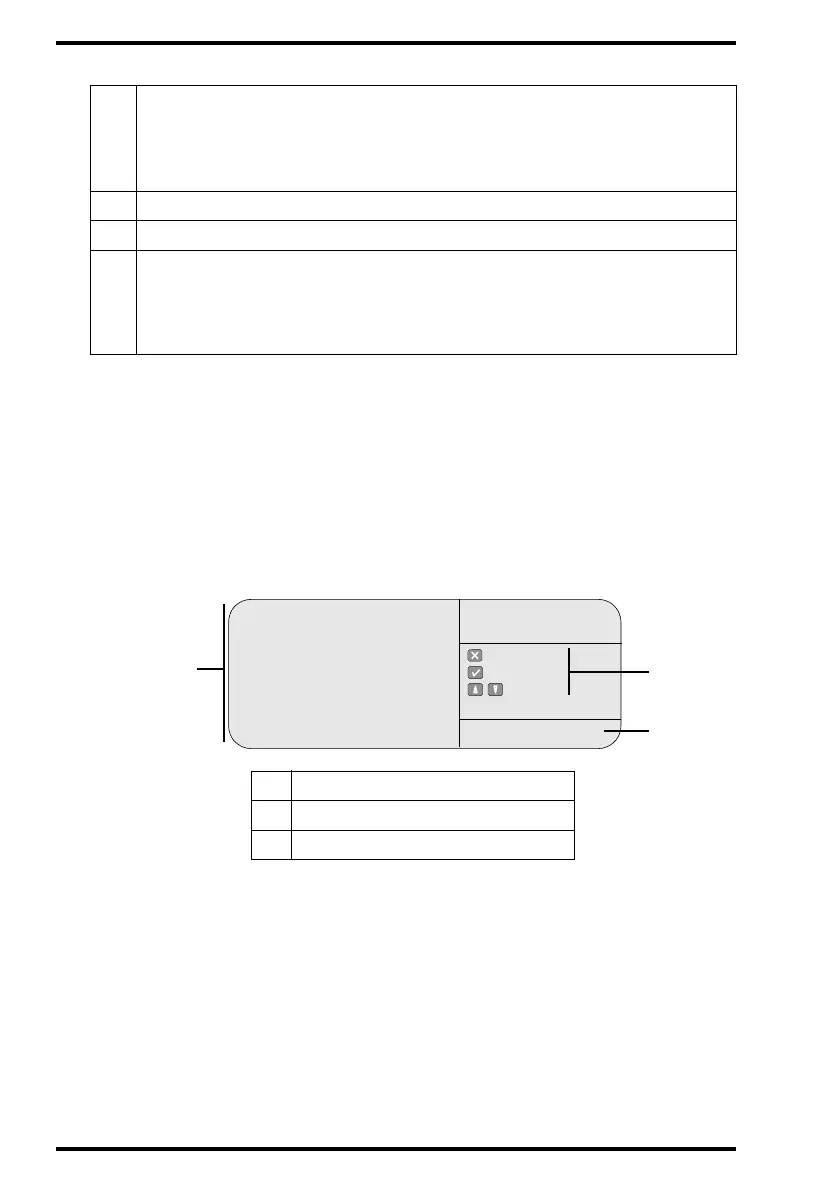
" In key-operator mode, operation is menu driven. The menu displays the key-
operator functions, the active keys, and the service code.
5
Operation mode:
• [blank]: Normal operation mode.
• EMERGENCY: Emergency function for image plates with ID data.
• ERASURE: Re-erasure function.
6
Error status: service code (SERVICE XXXXX) or error code (CODE XXXXX)
7
Station name of the CR 85-X
Identifier of image plate being treated:
8.1
8.2
8.3
After image ID data is read;
During scanning of image plate and transmittal of image data;
During transmittal of image data to image processing station.
1
Key-operator functions
2
Active keys
3
Service code
Queue management
Digitizer set-up
Date and Time
Send test image
System info
Install
Save configuration
Fast preview
: quit
: ok
: select
KEY-OPERATOR
MENU
SERVICE XXXXX
2
3
1



 To Next Page