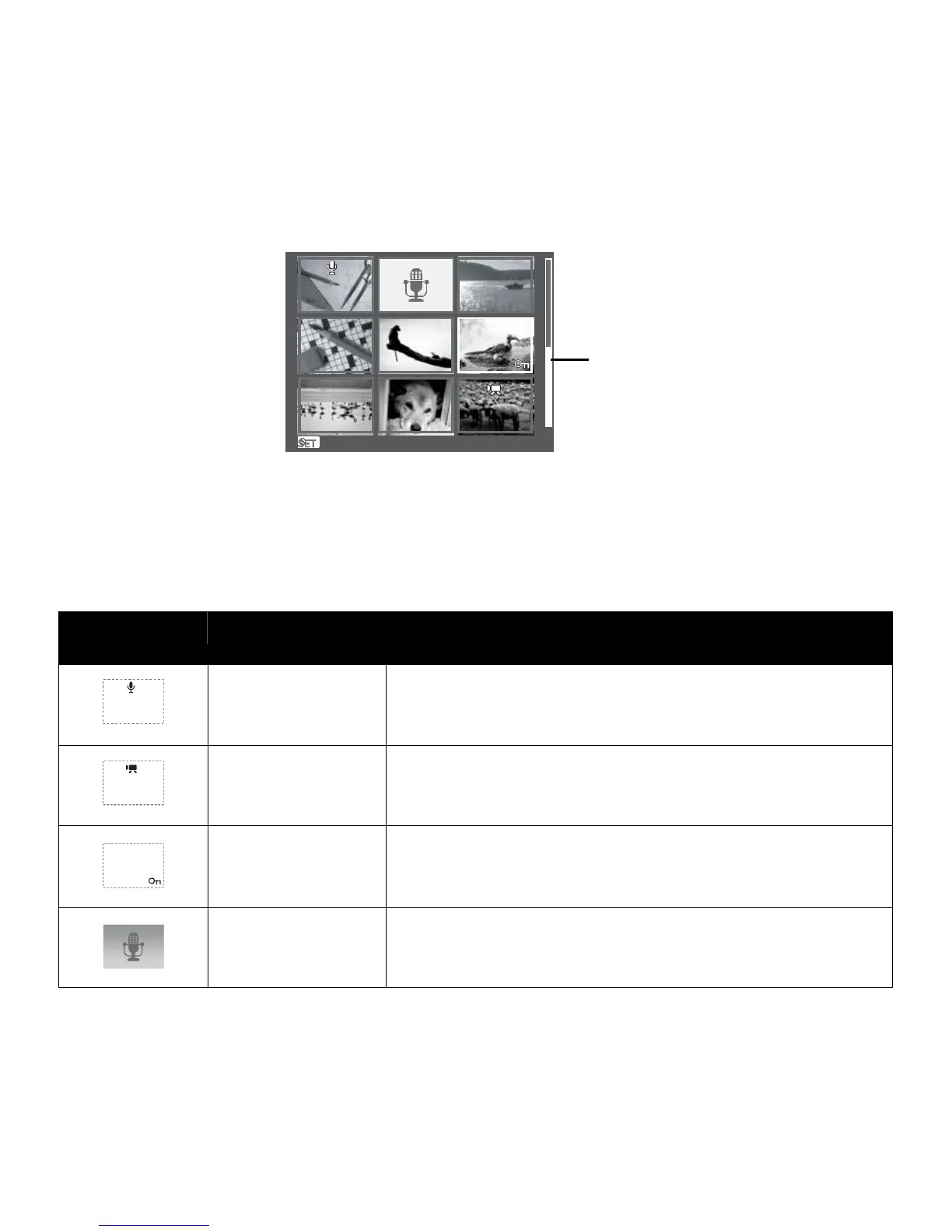
3. Press the SET button to select the image and view it normally.
Scroll bar. If scroll bars
appear, it indicates that the
screen can be scrolled.
D
D
i
i
s
s
p
p
l
l
a
a
y
y
Thumbnail view
Thumbnail
icons
When you view the thumbnails, some images may contain icons. These icons indicate the type of
file or recording.
Icons Type Description
Voice Memo
Indicates that a voice memo is attached to the image.
Movie
Indicates a recorded movie. The image displayed is the
first frame of the movie clip.
Locked File
Indicates that the image has been locked. Locked files
cannot be edited or deleted.
Voice Record
Indicates a voice recording file.













 To Next Page